Video failed to load

Disable Burp Suite’s Automatic DNS Log Detection

120 words
1 minute
Disable Burp Suite’s Automatic DNS Log Detection

Translation Notice

This article was originally written in Chinese and translated into English with the assistance of AI. The translation has been reviewed and edited for clarity, accuracy, and readability. Please refer to the original source where necessary, especially for technical terms, commands, configuration details, and proper nouns.

Burp Suite is a cross-platform web-application penetration-testing tool built on Java. It is mainly used to intercept, modify, and replay HTTP requests, and supports traffic capture, request editing, and brute-force testing.
When Burp Suite starts, it automatically performs DNSLog detection, and these requests may trigger alerts on security devices such as STAs.


Alarm
Alarm

Steps to Disable It#

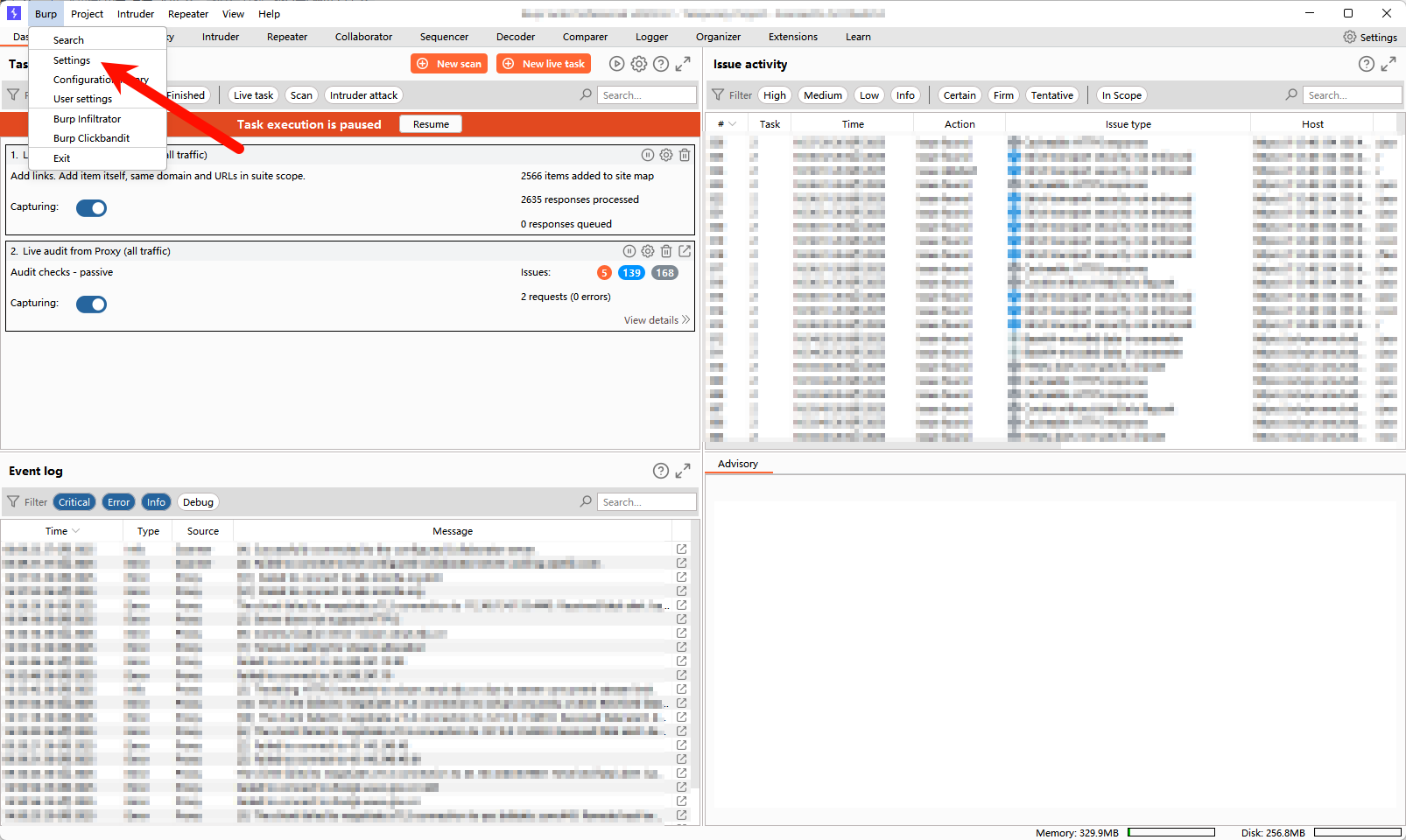
1、Burp -> Setting#

Burp Suite 1
Burp Suite 1

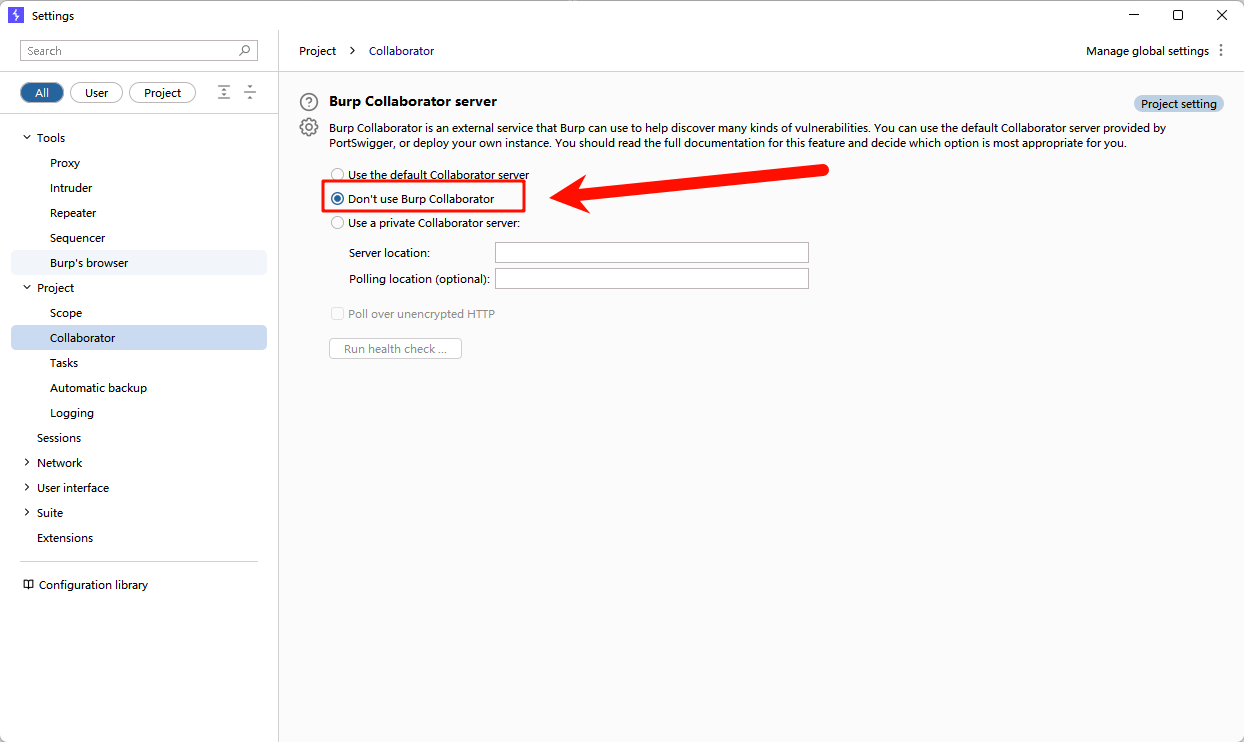
2、Project -> Collaborator#

Change “Use the default Collaborator server” to “Don’t use Burp Collaborator”.

Burp Suite 2
Burp Suite 2

Support & Share

If this article helped you, please share or support!

Sponsor
Disable Burp Suite’s Automatic DNS Log Detection
https://blog.bytesycn.cn/posts/57a913c1-cd81-481d-a278-f72a12fa547c/
Author
Ryan Zhang
Published at
2025-06-27
Related PostsSmart
1
How to Conduct a Phishing Simulation
KnowledgeWith proper authorization, phishing simulations are an important way to assess an organization's security awareness and defenses. This article covers a disciplined, safe, and controlled 2025 simulation, from information gathering and attack-surface analysis to simulated-page assessment, platform selection, and data collection.
2
[Security Tool Vol. 2] testssl — Comprehensive SSL/TLS Security Testing
ToolsUse testssl.sh to perform comprehensive compliance and security checks on a site's SSL/TLS configuration.
3
Offline Security Device Upgrade Guide: Download Links for Major Vendors (Continuously Updated)
KnowledgeSecurity devices in offline environments require manual updates, but vendor download links are scattered and difficult to find. This article collects offline upgrade links from major vendors for faster maintenance.
4
OpenSSH Security Upgrade Guide: Online and Offline Methods
TutorialOpenSSH is a core component for remote server access and administration. Its open-source nature sometimes exposes security vulnerabilities, but also drives continuous improvement. Upgrading is the most effective response, yet many Linux servers run in isolated environments and cannot update directly over the network. This guide explains how to securely upgrade OpenSSH by compiling and installing it offline.
5
Tencent Cloud EdgeOne Guide: Restricting Overseas Access
TutorialA guide to using Tencent Cloud EdgeOne to restrict access by region and allow only users in China, including Hong Kong, Macao, and Taiwan.
Random PostsRandom

Comments

Profile Image of the Author
Ryan Zhang
Keep building, keep thinking, keep creating.
Announcement
Welcome to my blog!
Categories
Tags
Latest Moments
Site Statistics
Posts
30
Categories
7
Tags
42
Total Words
117,260
Running Days
0 days
Last Activity
0 days ago
Table of Contents