
 Ryan Zhang's Blog


[Security Tool Vol. 2] testssl — Comprehensive SSL/TLS Security Testing
- 1[Security Tool Vol. 2] testssl — Comprehensive SSL/TLS Security TestingThis article
- 2[Security Tool Vol. 1] Kscan — High-Performance Golang Security Scanner
![[Security Tool Vol. 2] testssl — Comprehensive SSL/TLS Security Testing](https://oss-huating-1.bytesycn.cn/images/2025/12/16/9629d015ea459a7c1393293b15b7b600ba518edf4658f5ca364eb6c7e92fe6c6.webp)
Translation Notice
This article was originally written in Chinese and translated into English with the assistance of AI. The translation has been reviewed and edited for clarity, accuracy, and readability. Please refer to the original source where necessary, especially for technical terms, commands, configuration details, and proper nouns.
If you have visited my homepage, you may know that I work in cybersecurity.
During recent vulnerability scans and hardening work, I found that many frequently occurring vulnerabilities are concentrated in SSL/TLS configuration, including weak cipher suites, outdated protocol versions, and incomplete certificate chains.These issues are expensive to verify manually. After remediation, rechecking them often requires running the entire vulnerability-scanning process again, which is inefficient.
I therefore began using testssl.sh at work for fast, comprehensive, and repeatable checks of site SSL/TLS configurations.
About testssl
testssl.sh is an open-source SSL/TLS security-testing tool for evaluating server configuration, including:
- Supported SSL/TLS protocol versions
- Cipher-suite security and strength
- Common TLS vulnerabilities such as BEAST, POODLE, and Heartbleed
- Certificate validity and chain completeness
- Compliance with mainstream security best practices
The tool requires no deployment on the target server; run the script locally to perform checks. It is ideal for security testing, routine inspections, and remediation verification.
Common Commands
1. Print SSL/TLS Compliance Results to the Console
Use this for quick TLS configuration checks; results are printed directly to the terminal:
./testssl.sh -p bytesycn.cn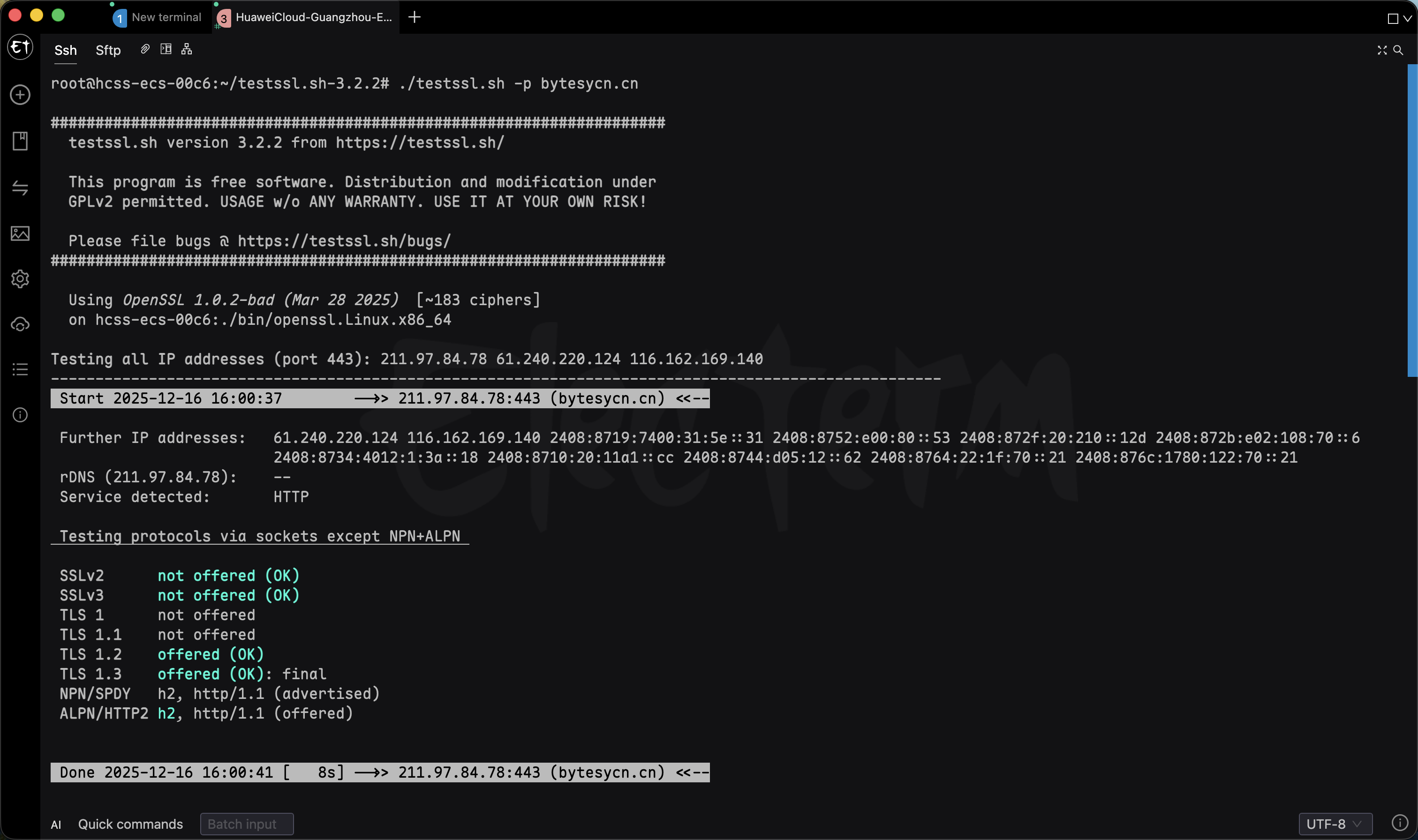
Parameter details:
- -p: display the protocols and ports supported by the target
- Check port 443 by default
2. Generate an HTML Report (Recommended)
In practice, generating an HTML report is recommended for archiving, comparing pre- and post-remediation changes, or submitting as security-audit material.
./testssl.sh --warnings=batch --html bytesycn.cn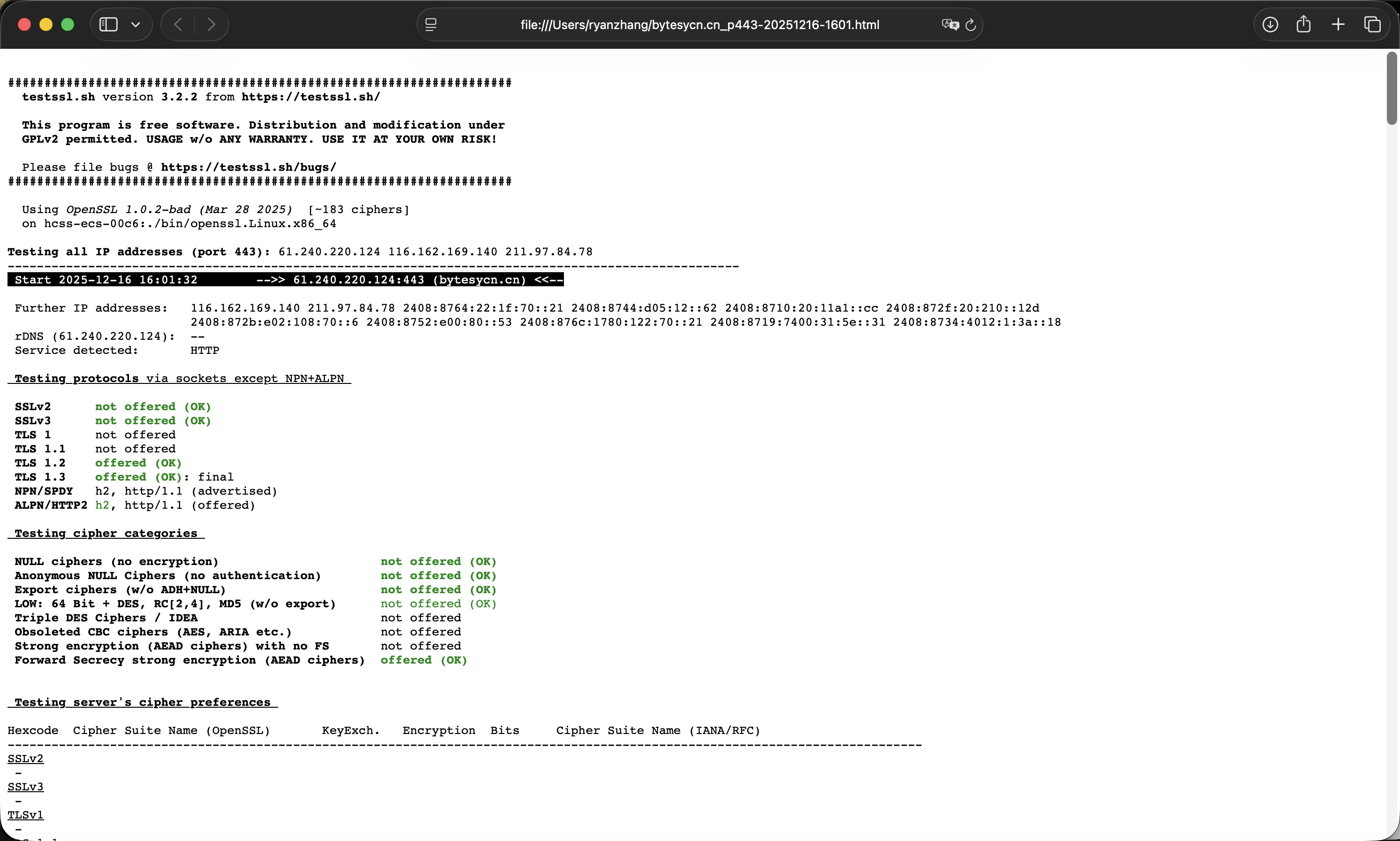
Parameter details:
- —warnings=batch: display warnings in batch mode to avoid interactive interruption
- —html: generate a complete HTML test report
📄 Sample report: bytesycn.cn testssl report demo
Recommendations
- Run testssl before and after TLS remediation to compare the changes.
- Combine it with SSL configuration changes in Nginx or Apache.
- Run it regularly as part of routine security inspections or CI/CD pipelines.
Summary
testssl.sh is a lightweight, professional, and practical SSL/TLS security-testing tool, especially suitable for:
- Cybersecurity professionals
- Operations and SRE engineers
- Independent site owners who care about security
If you repeatedly encounter difficulties while remediating TLS vulnerabilities, consider adding testssl to your toolkit.
🔗 Related links:
[1] testssl Project Repository: https://github.com/testssl/testssl.sh
[2] testssl Official Website: https://testssl.sh
Support & Share
If this article helped you, please share or support!