
 Ryan Zhang's Blog


Tencent Cloud EdgeOne Guide: Restricting Overseas Access
Translation Notice
This article was originally written in Chinese and translated into English with the assistance of AI. The translation has been reviewed and edited for clarity, accuracy, and readability. Please refer to the original source where necessary, especially for technical terms, commands, configuration details, and proper nouns.
Introduction
While analyzing this site’s access logs, I found many requests from Russia, the United States, and other regions. Since the main site publishes Chinese content for domestic users, has a separate English site for overseas users, and is registered in mainland China, I decided to restrict access by region.
I first tried enforcing the restriction at the server’s Nginx layer, but some requests could not be blocked. Then I remembered that the site uses Tencent Cloud EdgeOne (EO); not every request reaches the origin server, since some are handled at EO edge nodes. I therefore explored EO’s built-in geographic access controls.
Besides the fact that this site already uses EO for edge computing, it offers these benefits:
- Simple operation: configure it through a web interface without complex rules.
- Accurate IP database: Tencent Cloud maintains a large, frequently updated IP geolocation database.
- Efficient blocking: requests are blocked at edge nodes, reducing origin-server load and improving response times.
- Flexible customization: customize the block page for a friendlier user experience.
Configuration Steps
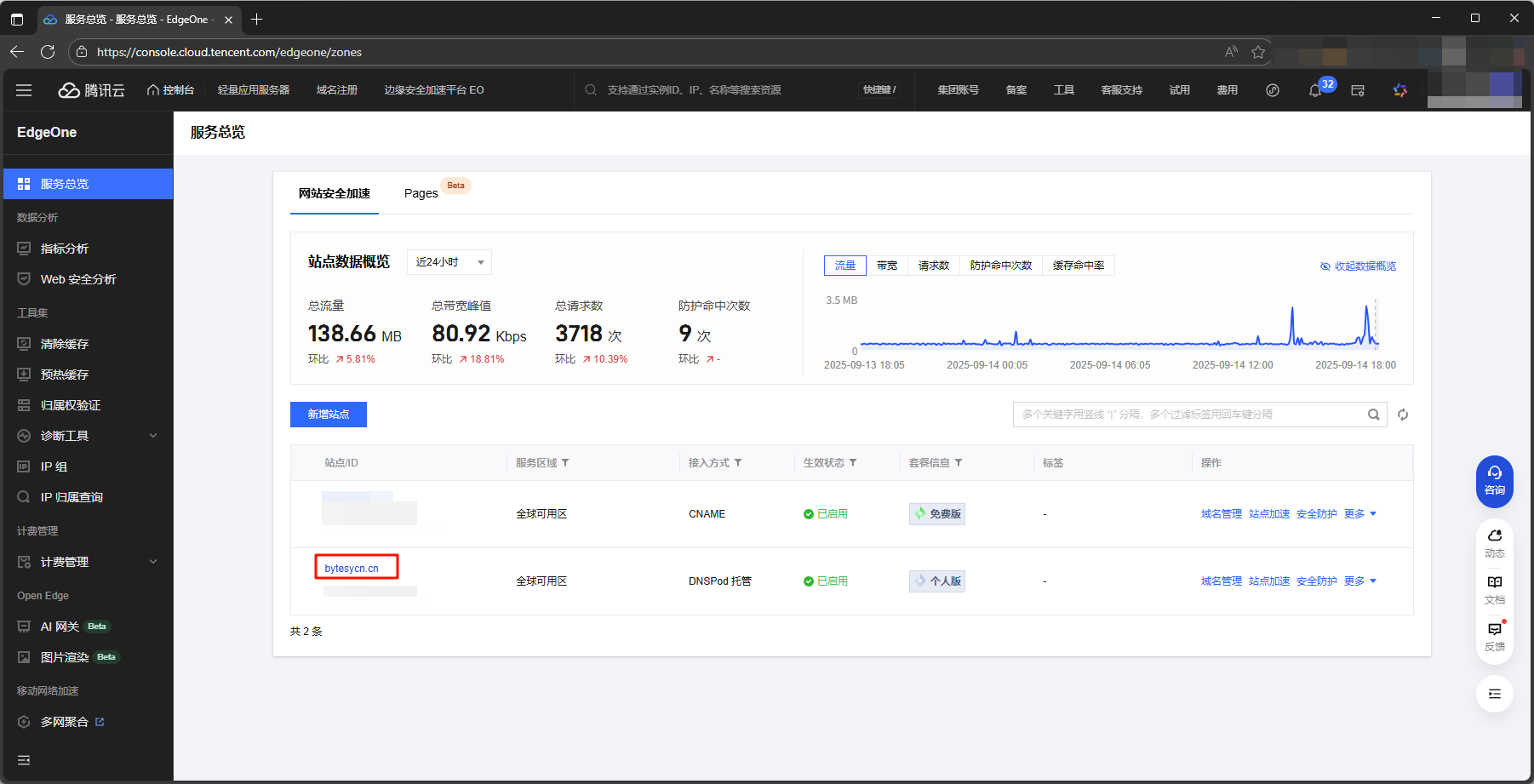
Step 1: Open the EdgeOne Console
Sign in to the Tencent Cloud console, open EdgeOne, and select the site to configure.
Step 2: Create a Rules Engine Policy
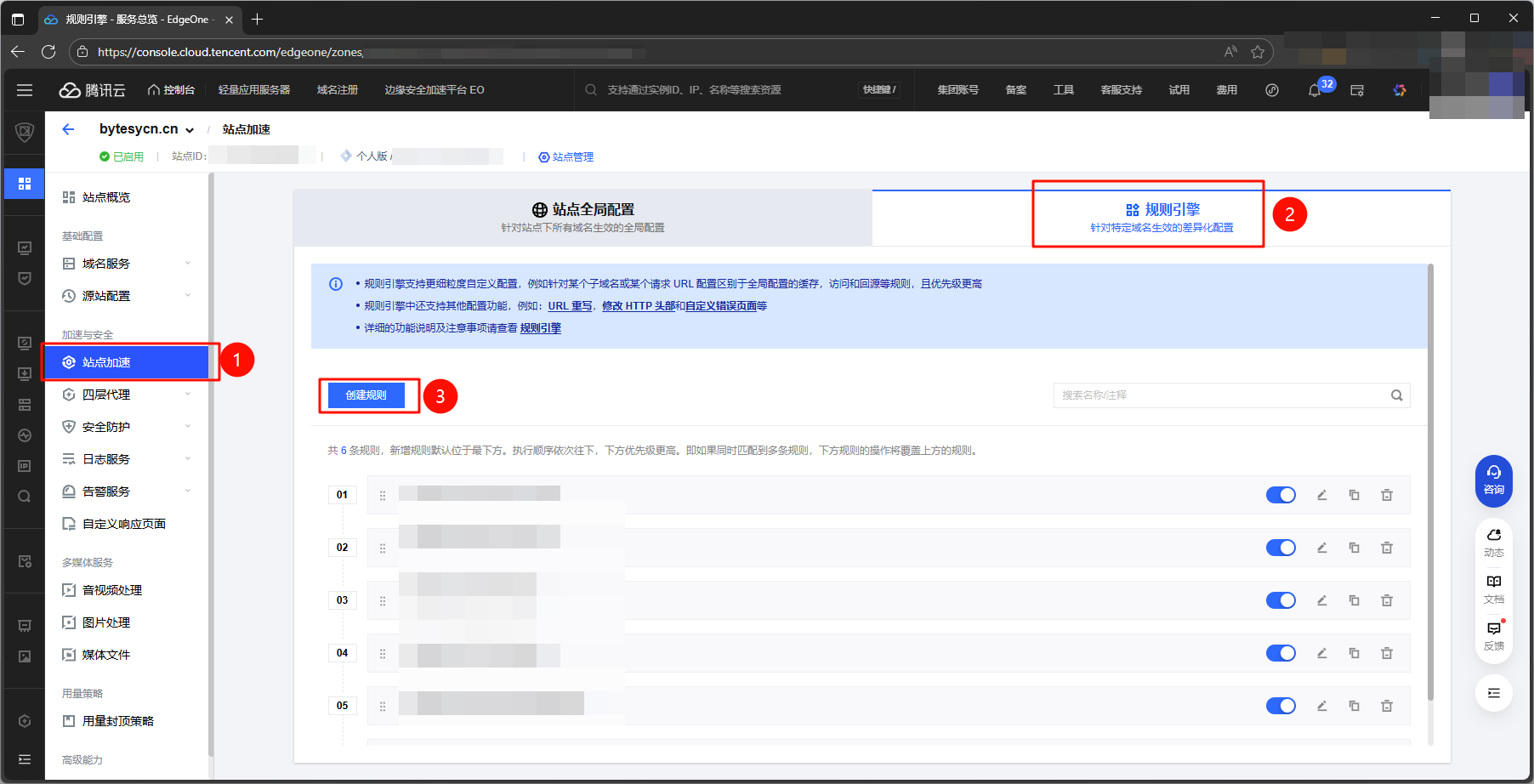
Go to Acceleration & Security -> Rules Engine and click “Create Rule”.
Step 3: Configure the Geographic Access Rule
Configure the rule conditions as shown below:
- Condition: request region ≠ mainland China, Hong Kong, Macao, or Taiwan
- Action: block access
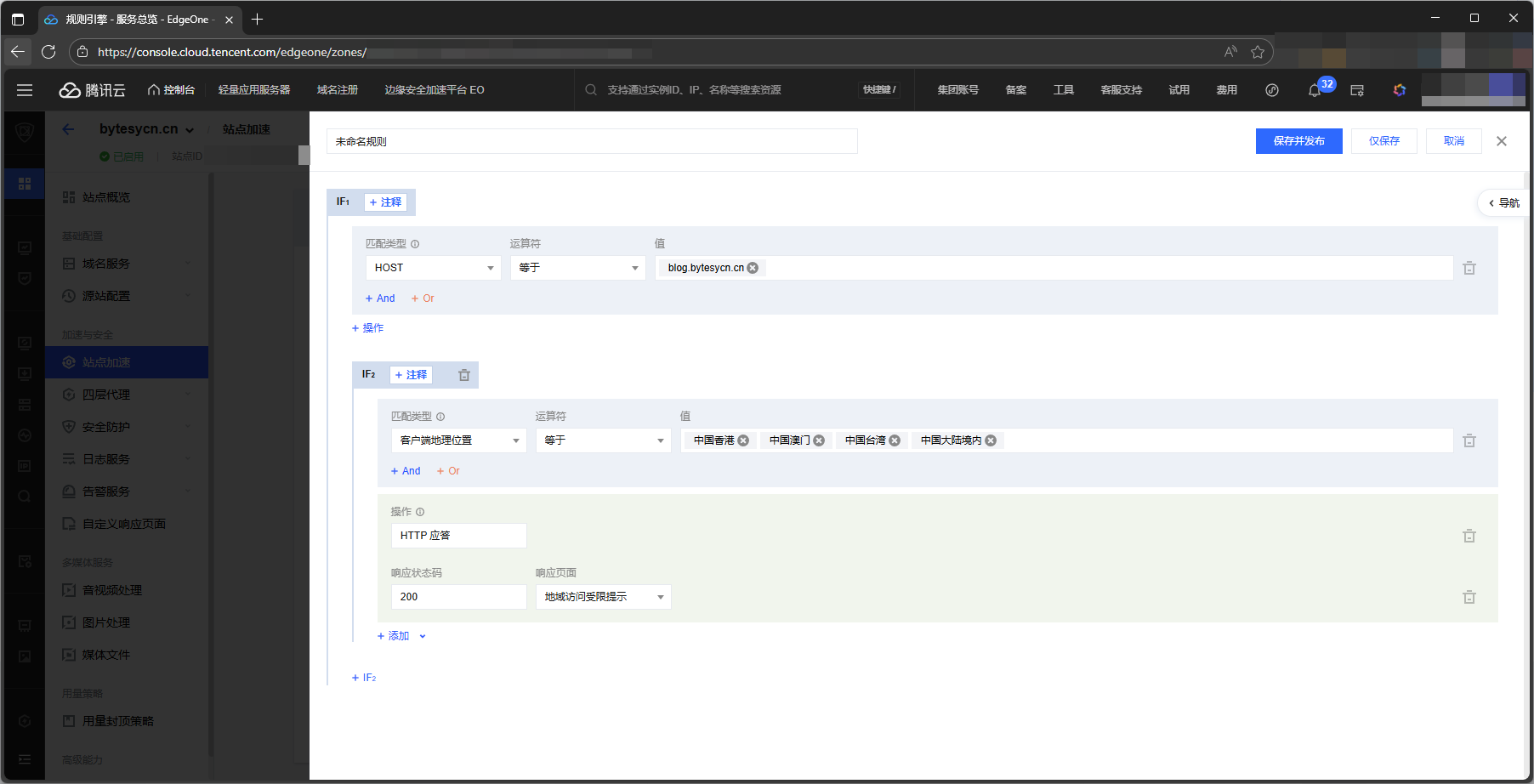
equals; to block overseas access, set it to not equals!Step 4: Create a Friendly Block Page
The response-page code must be smaller than 2 KB.
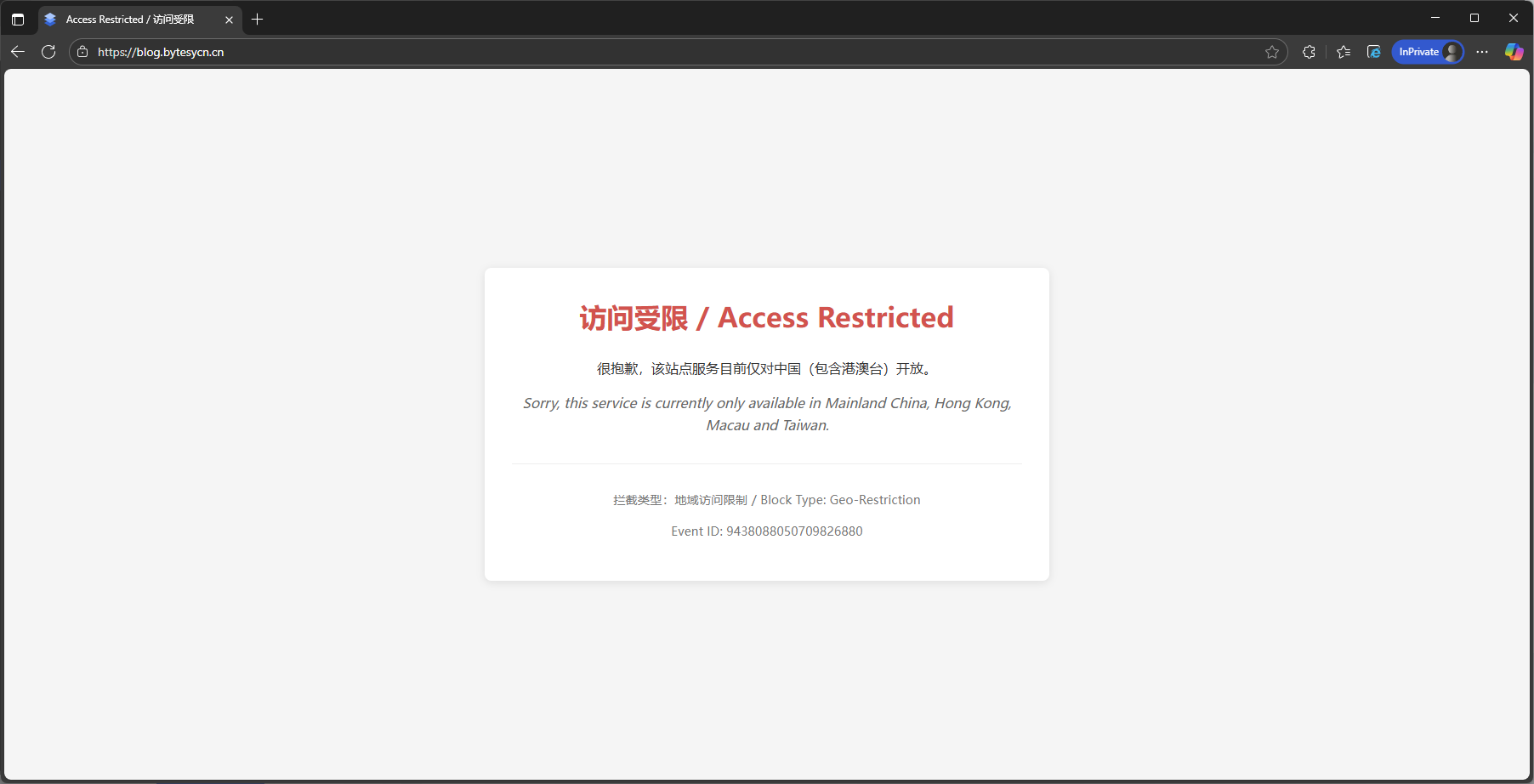
Under “Response Page”, choose “Custom Page” and enter the following HTML (or customize it yourself):
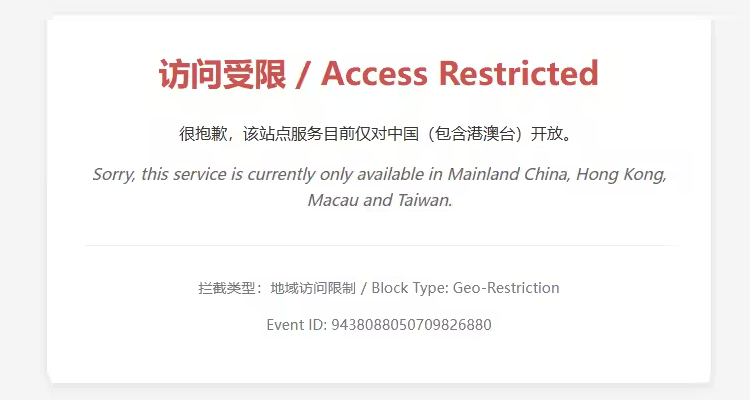
<!DOCTYPE html><html lang="zh-CN"><head> <meta charset="UTF-8"> <meta name="viewport" content="width=device-width, initial-scale=1.0"> <title>Access Restricted</title></head><body> <div> <h1>Access Restricted</h1>
<div> <p>Sorry, this service is currently available only in Mainland China, Hong Kong, Macao, and Taiwan.</p> <p class="lang-en">Sorry, this service is currently only available in Mainland China, Hong Kong, Macau and Taiwan.</p> </div>
<div> <p>Block Type: Geo-Restriction</p> <p>Event ID: {{EO_REQ_ID}}</p> </div> </div></body></html>Step 5: Save and Publish
Save and publish the rule after configuration so it takes effect immediately.
Verify the Result
After configuration, overseas users will see a friendly notice instead of a generic 404 or 403 error.
Practical Recommendations
- Review rules regularly: periodically check geographic rules to ensure they still fit site requirements.
- Monitor anomalous access: even with geographic restrictions, monitor server logs for anomalies.
- Support multiple languages: provide Chinese and English notices so different users can understand the block page.
- Consider performance: edge blocking does not consume origin-server resources and suits high-traffic sites.
A Few Thoughts
As China’s cybersecurity regulatory framework continues to mature, network operators face growing responsibilities and risks. As security professionals, we must understand not only technical protections but also legal boundaries. A personal blog sharing technical content is a worthwhile form of knowledge sharing, but Internet services provided in China must be registered and remain compliant. Even small personal sites can face content-security risks, such as:
- Malicious links or black links being injected, potentially creating legal liability for the site owner.
- Sensitive technical details being published unintentionally and misused.
- Poorly managed comments becoming a channel for illegal information.
As Cybersecurity Awareness Week 2025 approaches, site owners should uphold their cybersecurity responsibilities. No security issue is too small; every Internet participant should help protect cyberspace, maintain a healthy online environment, and find a balance between technical sharing and legal compliance.
Support & Share
If this article helped you, please share or support!