 Ryan Zhang's Blog


From Zero to Operational: An Engineer's Mini-Data-Center Build Log
Translation Notice
This article was originally written in Chinese and translated into English with the assistance of AI. The translation has been reviewed and edited for clarity, accuracy, and readability. Please refer to the original source where necessary, especially for technical terms, commands, configuration details, and proper nouns.
This article is for technical sharing only and does not involve any prohibited use.
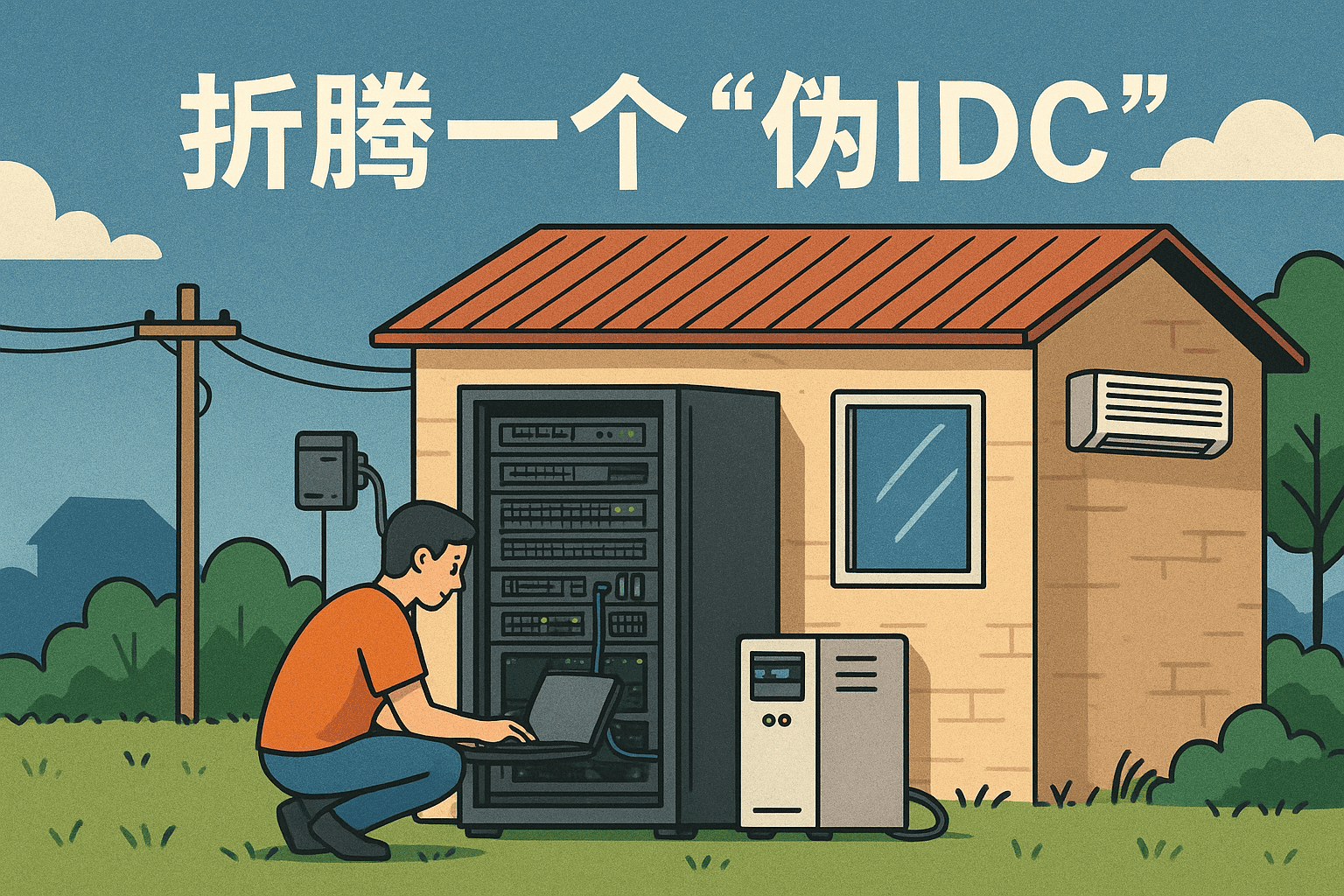
I had wanted to write this article for a long time, but never had a solid block of time. This year, a few friends and I put together a “pseudo-data-center” in a self-built house in a rural town, complete with racks, air conditioning, home/business broadband, and a UPS. It is not exactly a serious professional facility, but it looks more like a real server room than many small and midsize businesses have. It has now been running reliably for nearly half a year.
If you also want to build a “wild server room,” feel free to compare notes. It might help you avoid many pitfalls.
Disclaimers
- Do not use consumer broadband to run PCDN or conduct profit-making activities.
- Do not use the network for any unauthorized penetration testing or attacks.
- Protect your equipment carefully so it cannot be used as a pivot by others.
The first point is the carrier’s bottom line; the latter two help keep you from getting into serious trouble.
Remember: cybersecurity serves the people, and cybersecurity relies on the people. Nothing in cybersecurity is trivial!
Requirements Analysis
“Server room” is an abstract term. A room with one old computer running Linux services can count; a row of 42U racks certainly counts more. What we built this time is a compromise: a “pseudo-data-center.” It has at least these characteristics:
- Stable network egress
- Sufficient compute and storage resources
- A node for remote work
- 24/7 availability
Current equipment includes racks, air conditioning, a UPS, and business broadband—a basic server-room ecosystem is already in place.
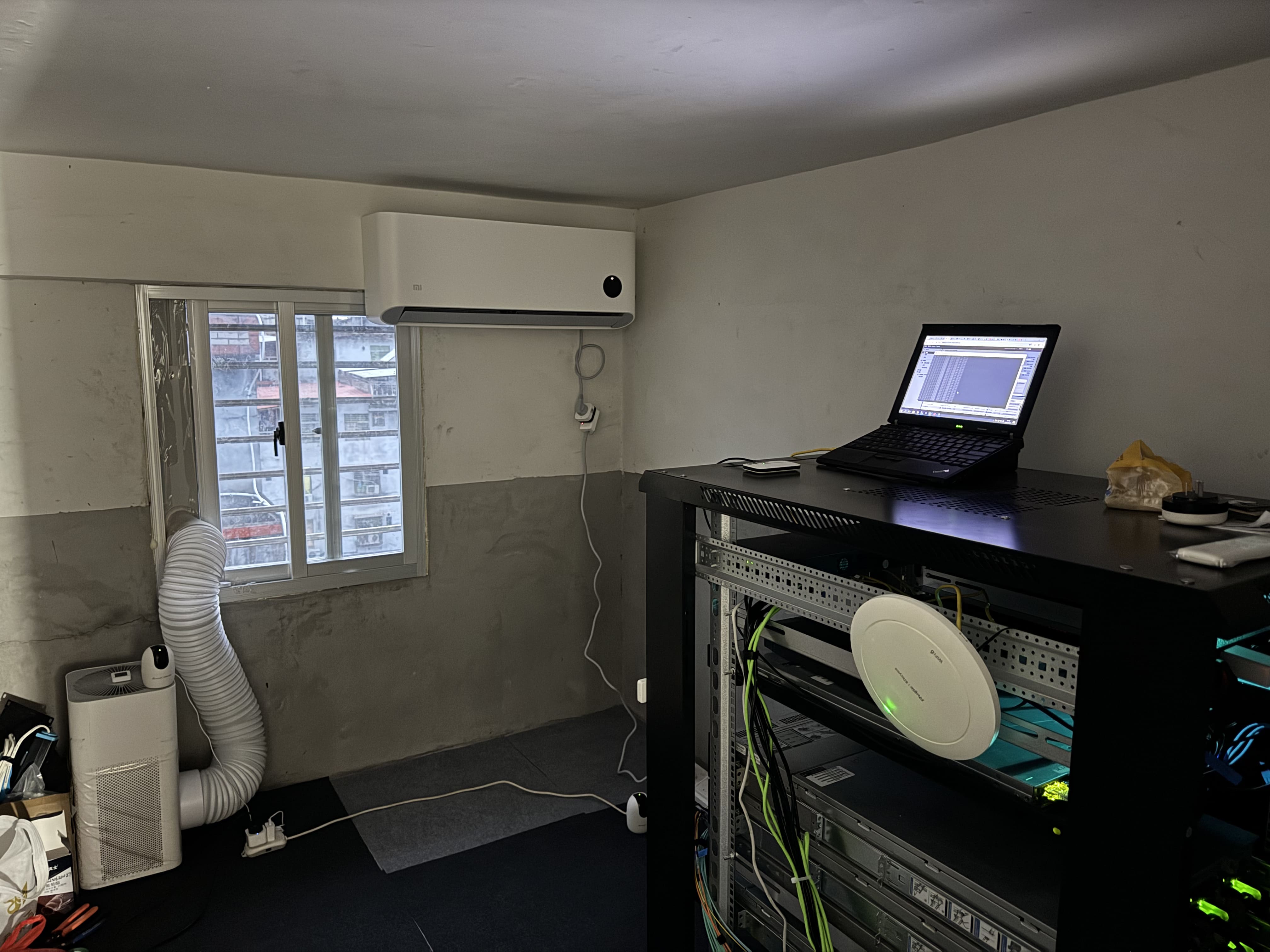
The Build
Servers
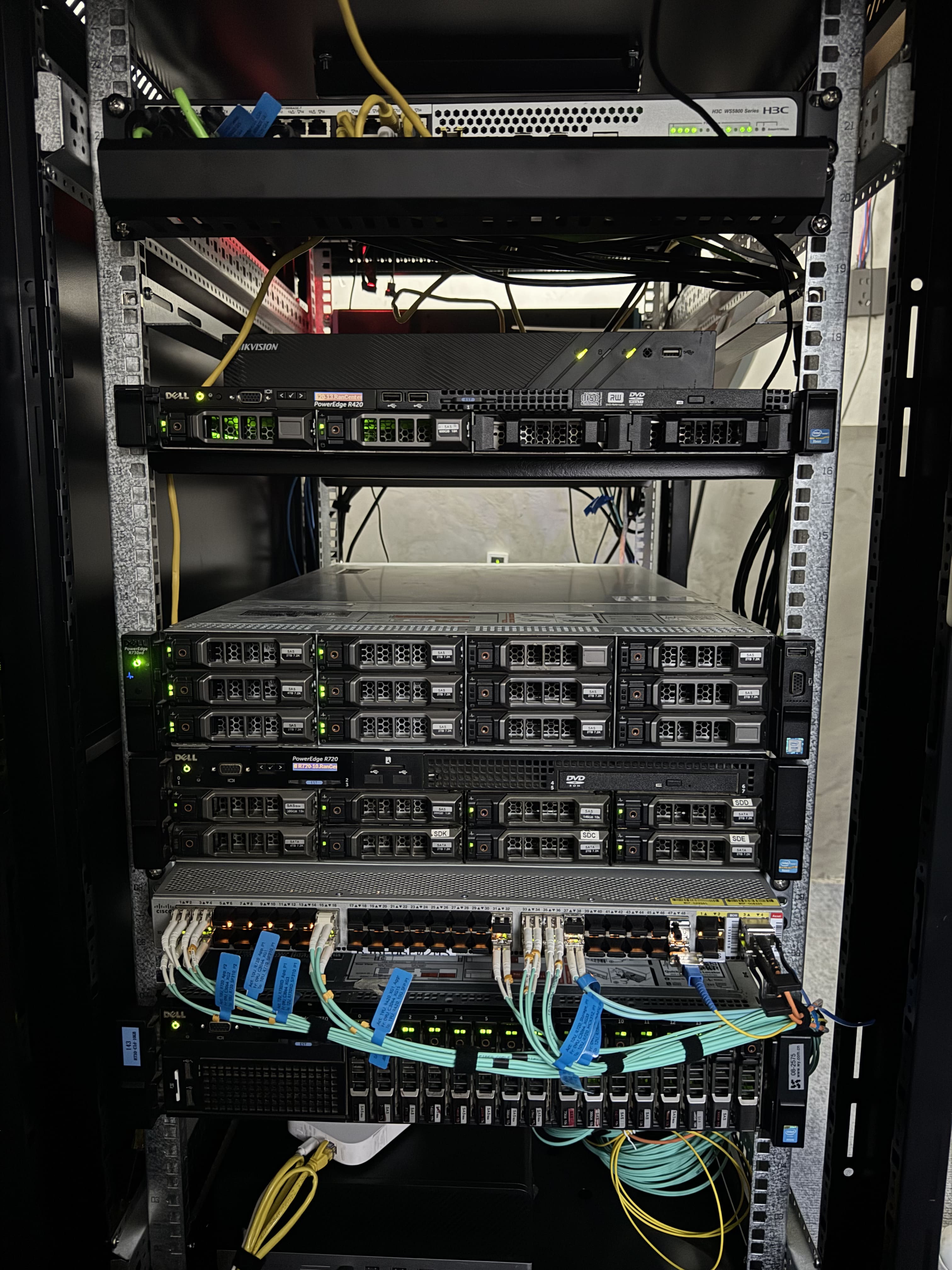
The servers we currently have are all retired Dell PowerEdge systems. The reasons are simple: Dell is a major international vendor, its pricing is attractive, and maintenance information is easy to find. We previously bought a Huawei 2288Hv3, which was even cheaper than Dell, but Huawei’s documentation is too closed. It exists, but access requires an authorized reseller, which is not friendly to a DIY server room. Huawei presumably has its reasons, so I will not investigate that further.
Here is the configuration of one of them:
- CPU:2 × Intel Xeon E5-2680 v4(2.4GHz,14C/28T)
- Memory: 320GB DDR4 2133MHz REG ECC
- Storage: 6 × 4TB SAS
- Networking: 4 × 10Gbps SFP
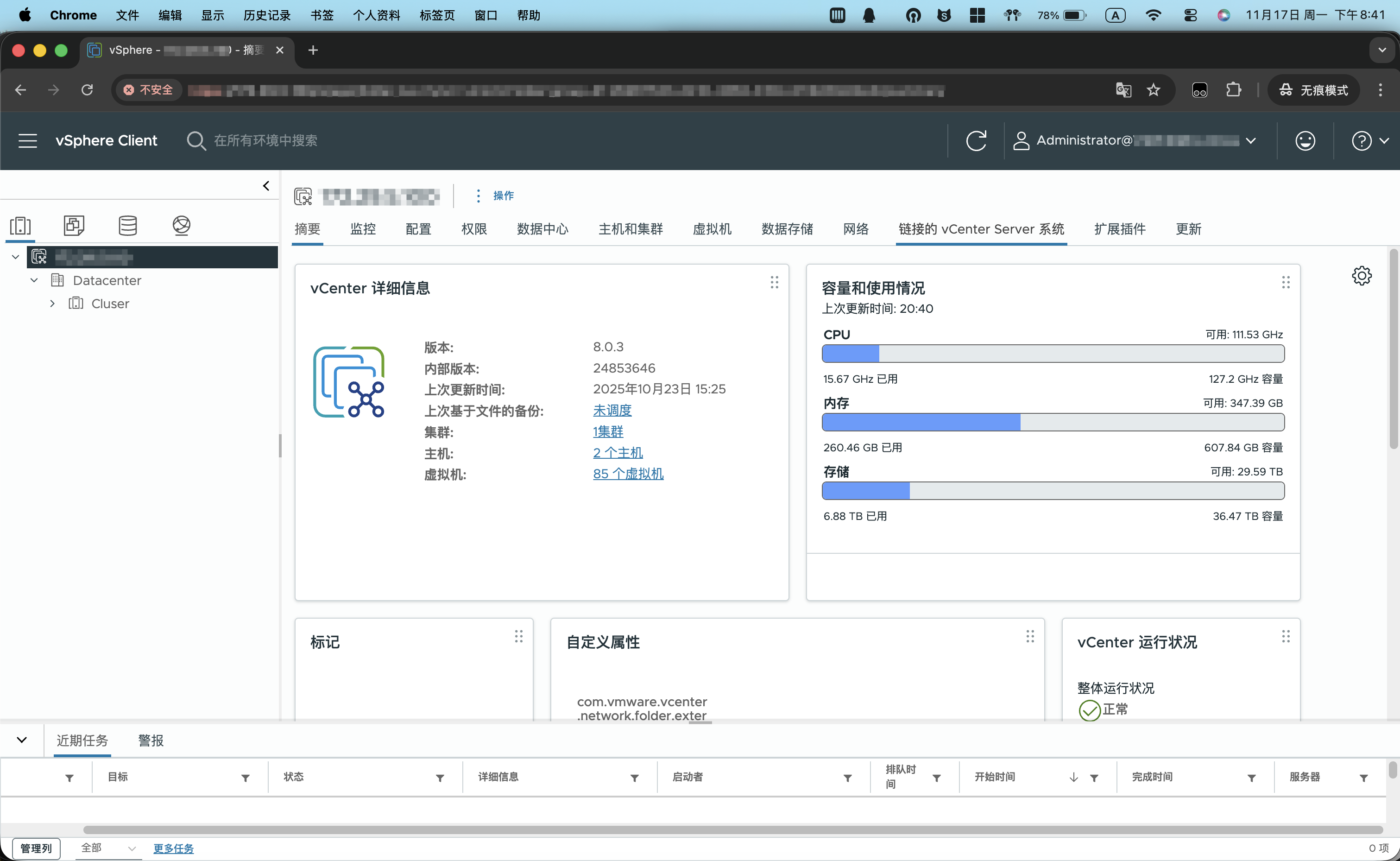
Internal Network
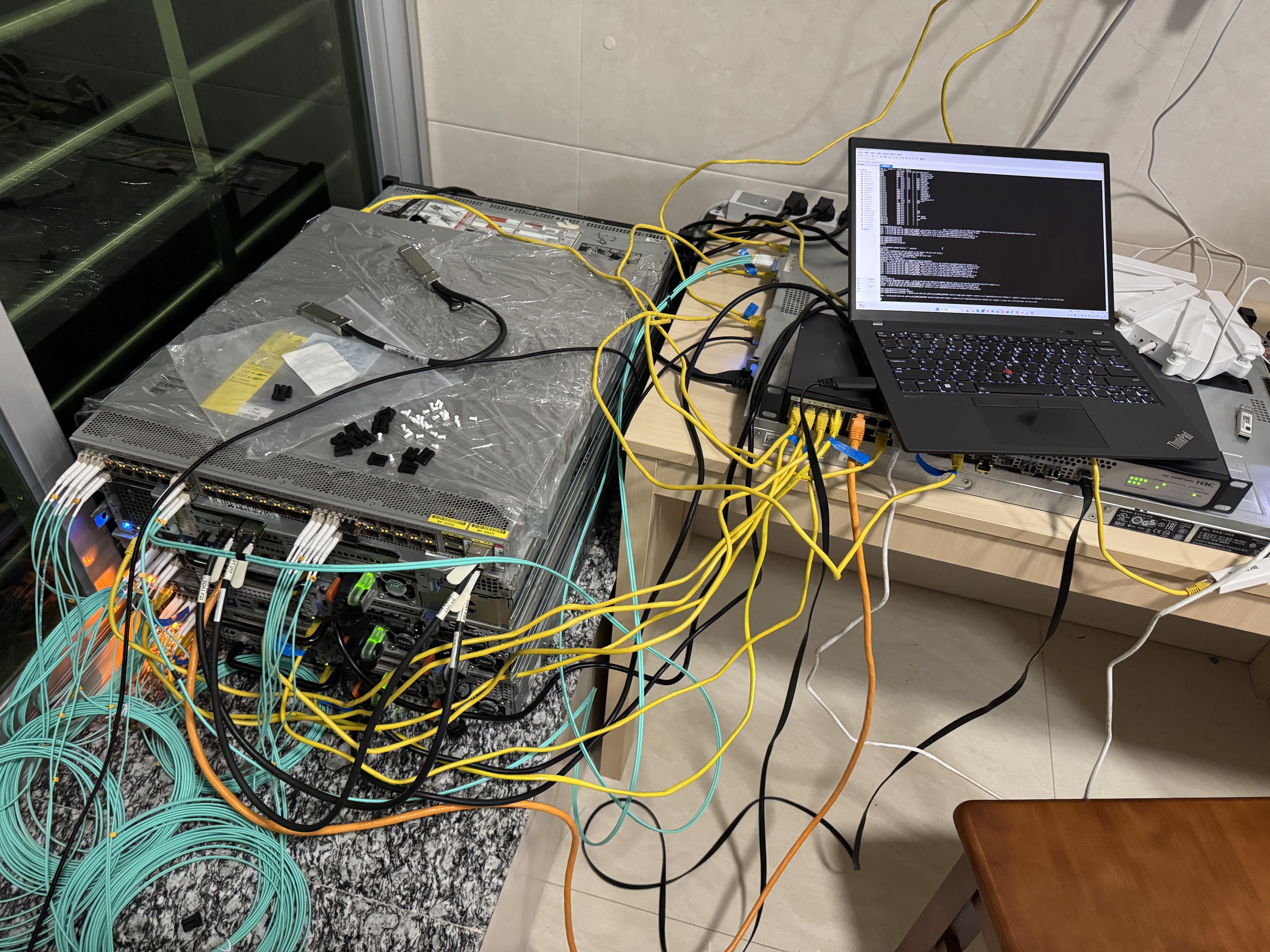
In this DIY server room, only the management network still uses RJ45 Gigabit Ethernet (1Gbps). Every other link has been upgraded to OM3 multimode fiber; with two-port link aggregation, it can theoretically reach 20Gbps. Between storage nodes, we deployed 40Gbps QSFP links directly. The original plan was to use RoCE (RDMA over Converged Ethernet), but halfway through tuning we discovered that enabling Jumbo Frames on our core switch brought down the entire network. We had to use iSCSI for the time being.
We chose a Cisco Nexus 3000 (N3K) series switch as the core switch:
- 48 × 10Gbps SFP+
- 4 × 40Gbps QSFP
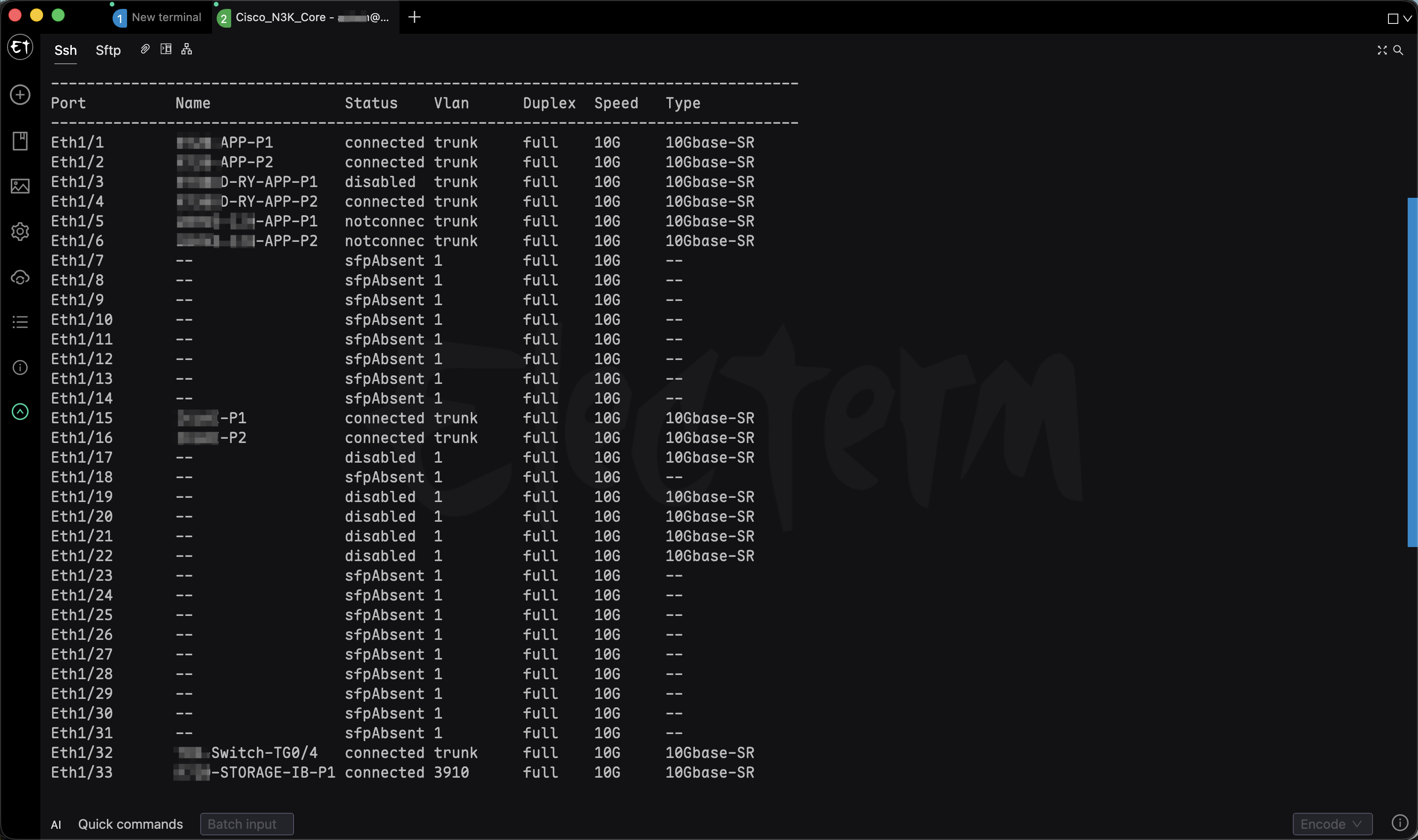
We are now using nearly half of this switch’s ports. The modules are Intel multimode transceivers bought piecemeal from online marketplaces for about 15 each. It has a strong bargain-market flavor—but as long as it works, that is enough; this server room was cobbled together from the start.
Network Egress
As everyone knows, IPv4 addresses are scarce. Getting a fixed public IPv4 address on home broadband is nearly impossible, though some carriers may provide dynamic IPv4.
Among the three major carriers:
- China Telecom: dynamic IPv4 is available on request and quality is the best, but it is expensive.
- China Unicom: dynamic IPv4 is available on request at a reasonable price.
- China Mobile: a very large carrier-grade NAT, though it is cheap and sometimes even free.
One friend’s family happened to have a business, so we installed a business broadband line (300Mbps upload and 1000Mbps download) with home broadband as a backup. That is enough for our use cases. There are now many solutions for dynamic IP. As NAS devices become common, people naturally need to access their home network from outside; DDNS solves this, with open-source projects such as ddns-go. PS: When we experimented with new routers in 2018, using DDNS meant writing our own scripts. All I can say now is that times have really changed.
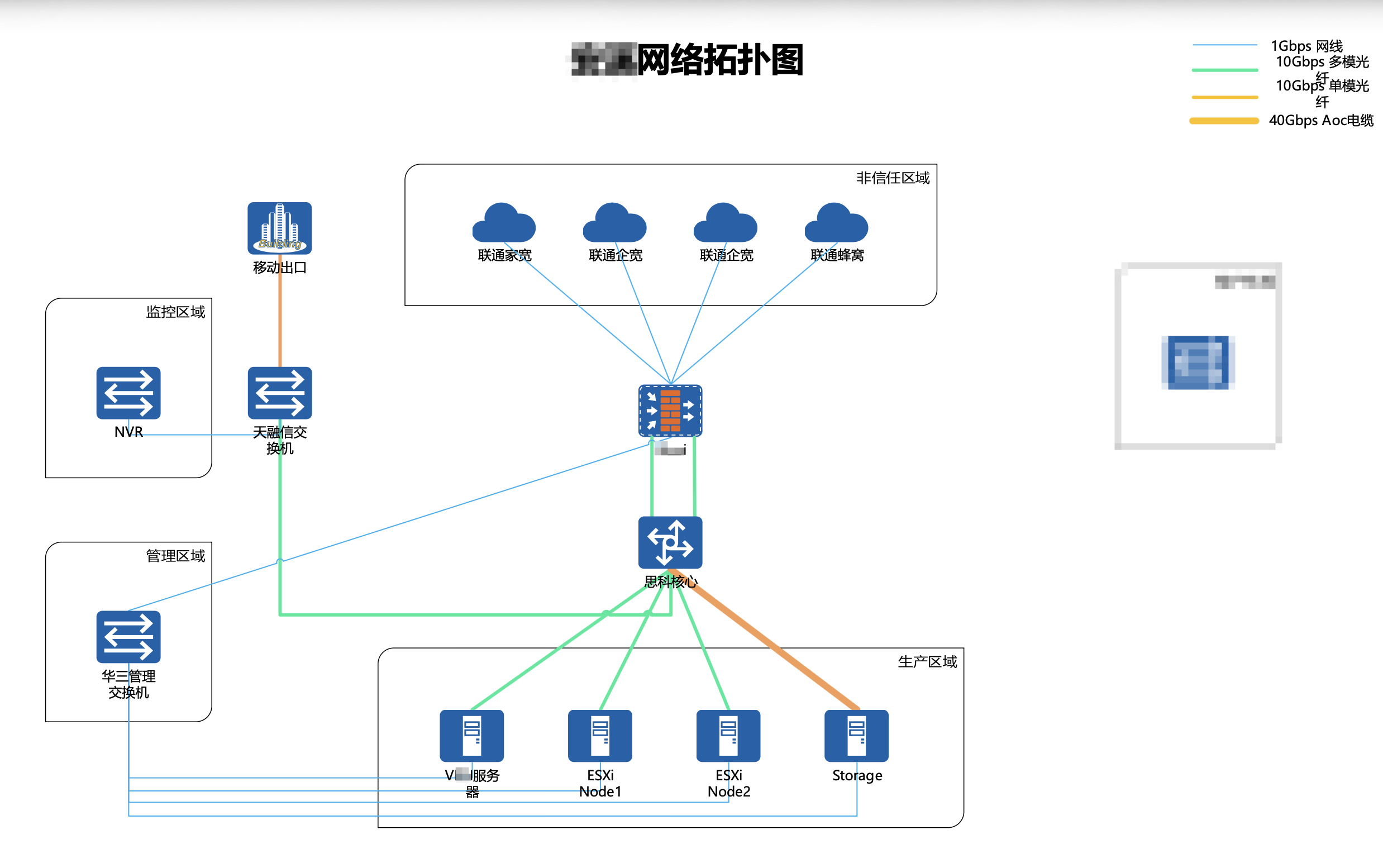
How Do We Connect? A Virtual Private Network
The server room cannot have someone there 24/7, and it is nearly 100 kilometers away, so we built tunnels for remote access. They have been fairly stable so far, and we have tried many protocols. The implementation involves network topology, virtual private networks, port forwarding, and software-defined networking (SDN). I will not go into detail here; these topics may get their own tutorial later.
It has now been over half a year since we started working on this DIY server room, and it can handle:
- Daily automated backups of my cloud servers
- Automated off-site backups of my home NAS
- Multiple database instances
- A local code repository
- Remote work
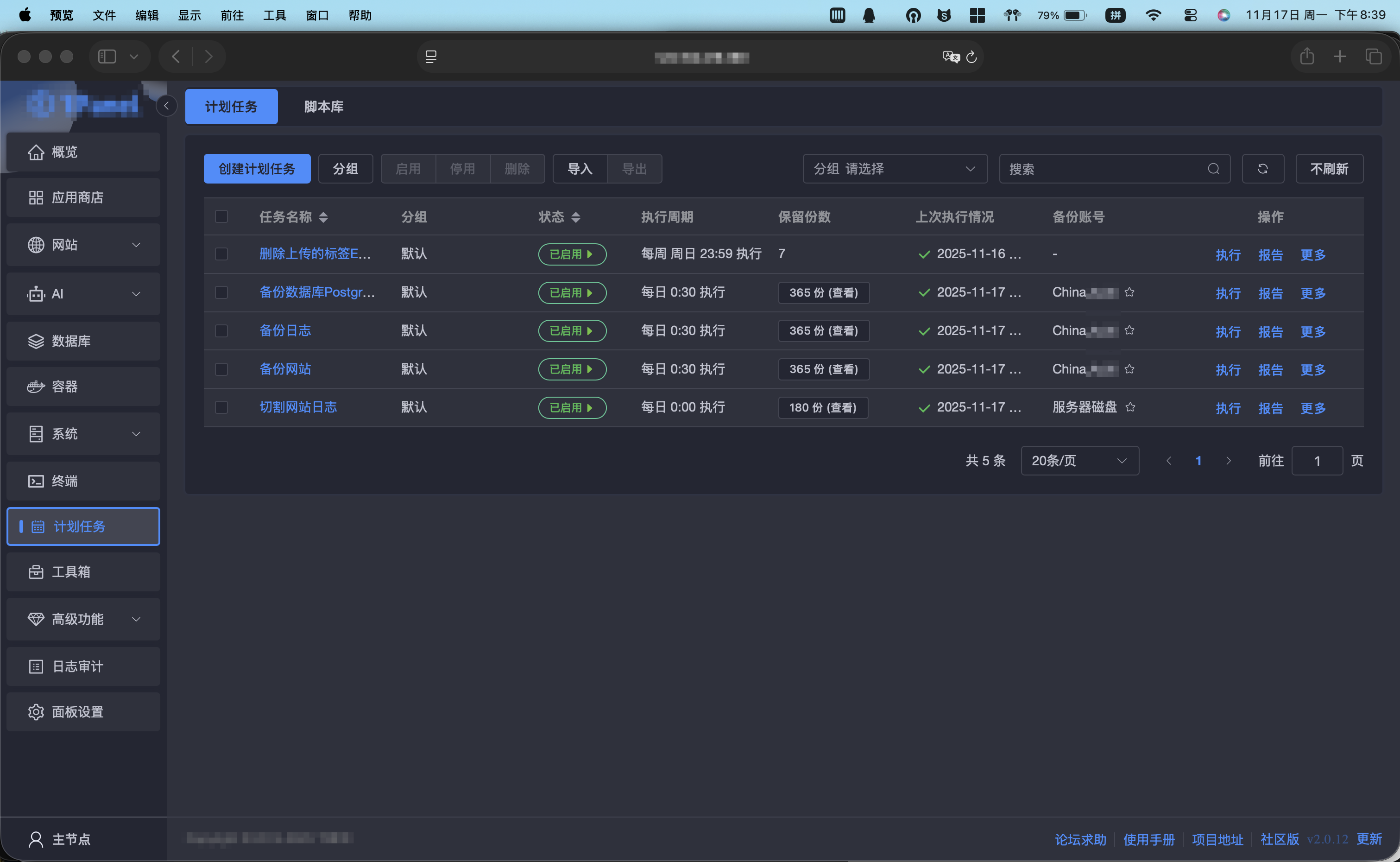
Monitoring Services
The entire DIY server room now has largely automated operations. We originally planned an access-control system based on Apple Card, like the electronic badges used by Jingshi Jufeng. However, Apple Card uses an allowlist and requires an HID reader. After seeing the price of the reader, I immediately gave up: keys are perfectly fine—if they open the door, they do the job.
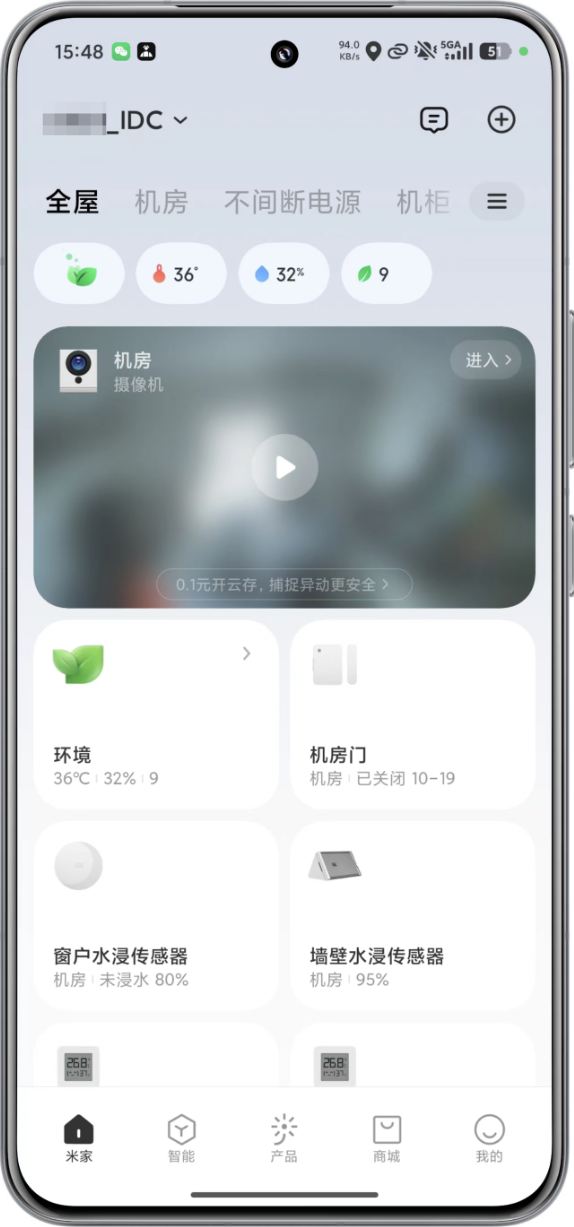
Environmental monitoring currently relies on the Mi Home ecosystem (temperature, humidity, power, cameras, and so on). There is quite a lot to cover, so I will share it in a separate, more detailed article later.
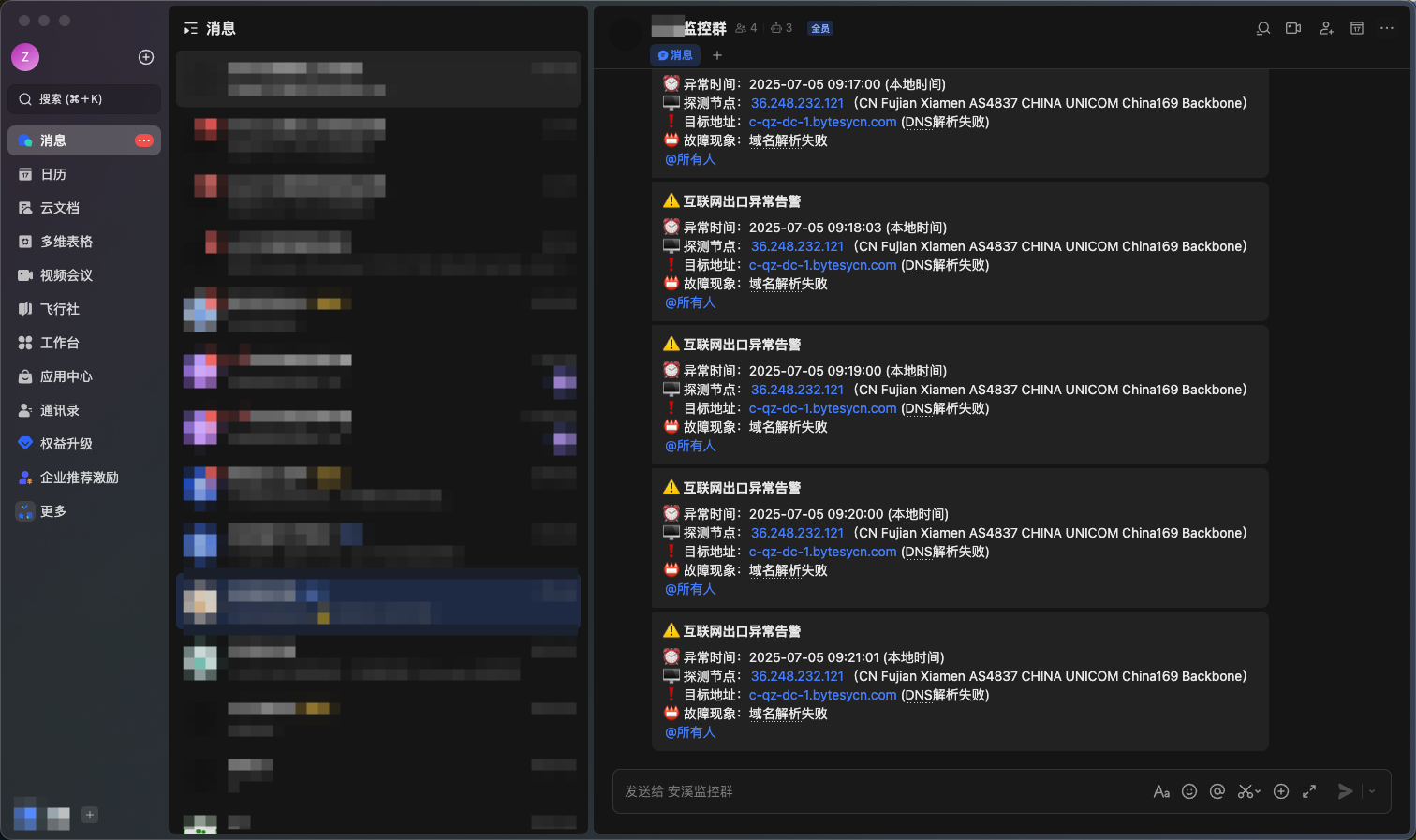
For server monitoring, we eventually replaced our original Zabbix setup with Beszel. Zabbix is too heavyweight unless you are running a professional data center. I also wrote a small script to check the heartbeat of the server room’s egress link; if it goes down, alerts are automatically sent through Feishu or another Webhook-compatible platform.
Overall, we assembled a usable, stable, and maintainable monitoring system at minimal cost.
End
🫶 The reason for doing this is simple: passion drives everything. As for the future, perhaps this passion will quietly grow into something more practical.
Support & Share
If this article helped you, please share or support!