
 Ryan Zhang's Blog


VMware ESXi VM ‘Redo Log Is Corrupted’? Don’t Panic—I’ll Show You How to Revive It in Place! 🚑

Translation Notice
This article was originally written in Chinese and translated into English with the assistance of AI. The translation has been reviewed and edited for clarity, accuracy, and readability. Please refer to the original source where necessary, especially for technical terms, commands, configuration details, and proper nouns.
Hey 👋, I’m back with another hands-on post. My friends and I built a small virtualization cluster in a rural area to host most of our in-house applications and test environments. Everything was running smoothly until the local power supply began causing sudden outages and unclean shutdowns. After the latest outage, the reverse-proxy VM we use for external mappings completely stopped working and repeatedly displayed: “Redo log is corrupted”! 🤯
Because the cluster follows a small-business network architecture, its DMZ, tunnel, and Trust zones are clearly separated. Only one or two zones can publish services externally, so when this reverse proxy failed, several of our personal services effectively went offline. It had to be fixed quickly.
🙋 Here’s the Problem
The redo log of “xxxxxx.vmdk” is corrupted. If the problem persists, discard the redo log.
When I saw this message, I froze. One thought came to mind: “This is bad!” 🥶
The Approach
VMDK? It must be related to the disk! 💾
Since the message mentioned VMDK, the VM’s disk was probably the culprit. I remembered that this VM had several snapshots, so I immediately tried consolidating the disks. But… well, it did not help much 🤷. The VM still refused to start.
When you have a VM that must start but will not boot, and you have no backup, you should try every possible method only after creating one. I deleted every snapshot of this VM!!!
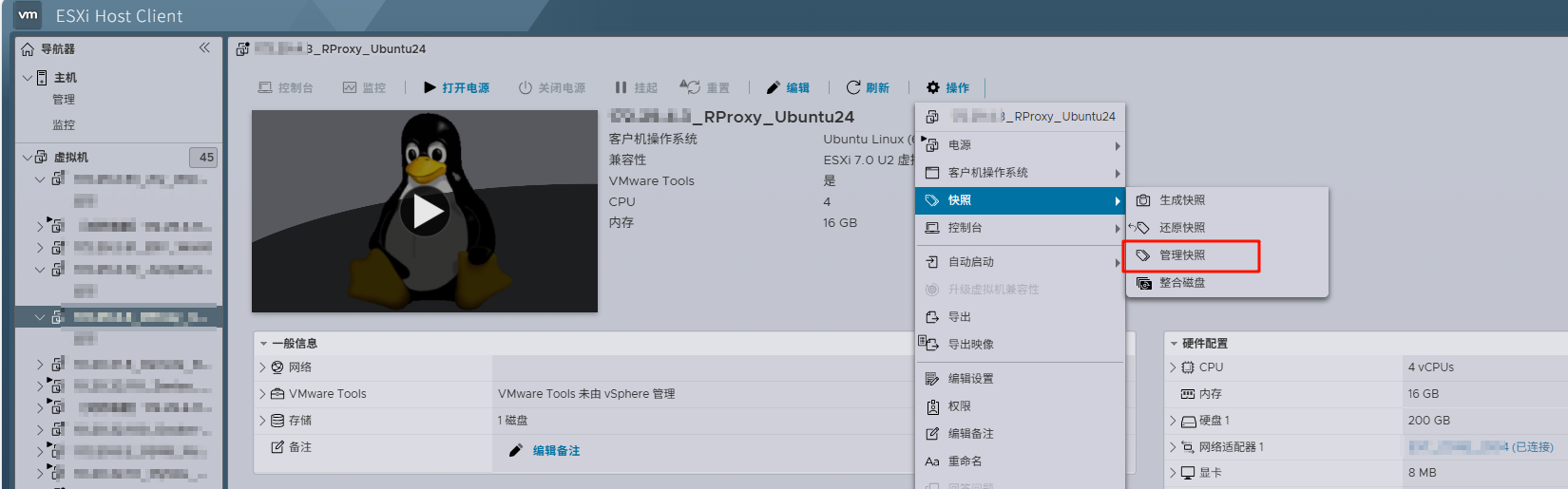
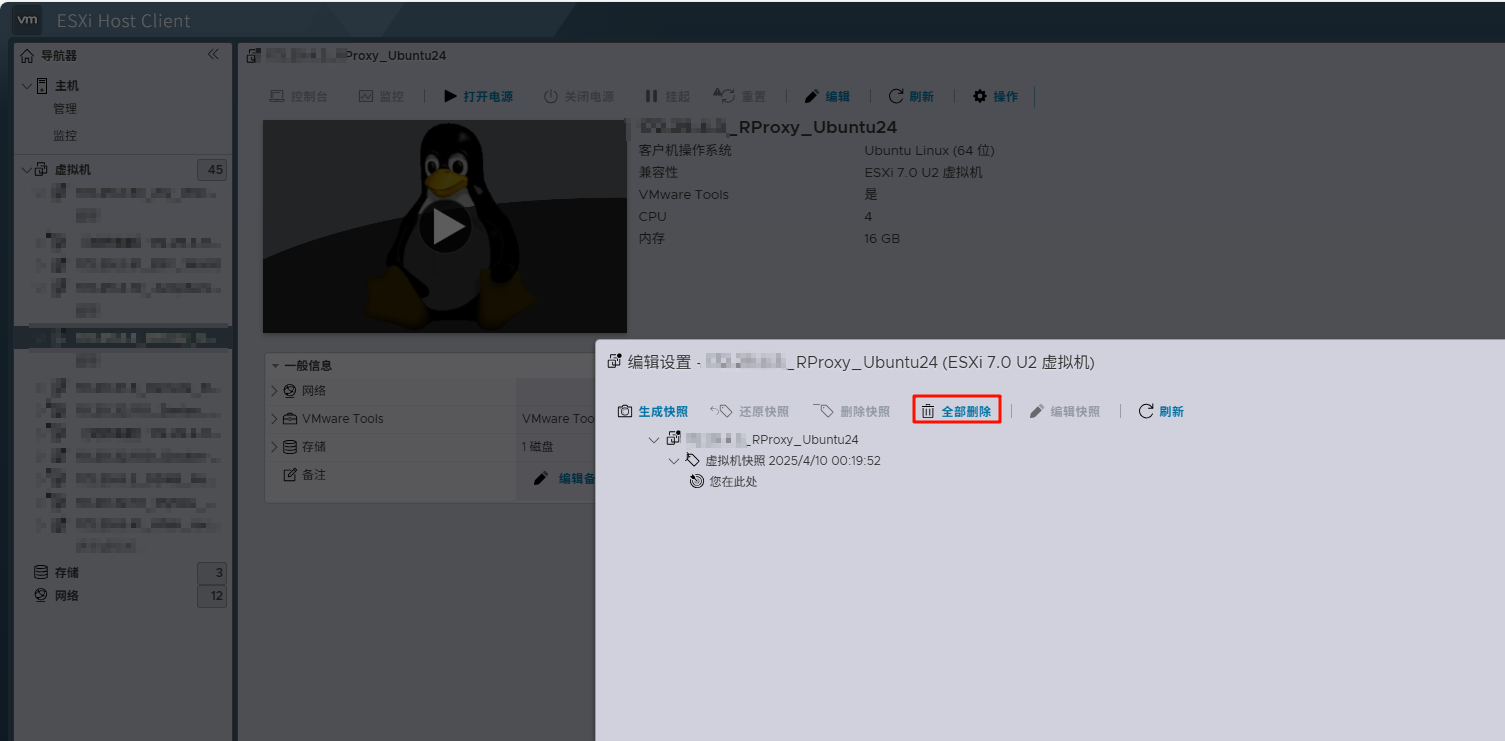
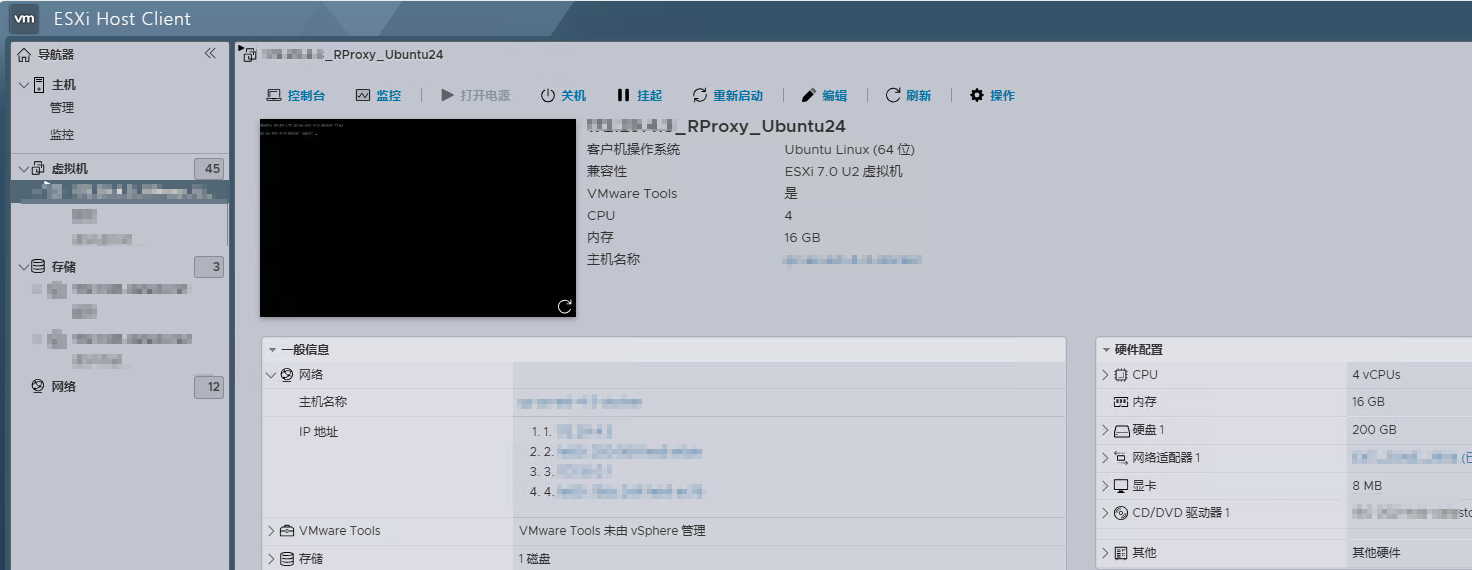
After confirming the deletion and watching the progress bar complete, the “broken” reverse-proxy VM successfully started! 🎉🎉🎉 We could play with it again, and the world suddenly felt wonderful! 🥳
🚨Important Reminder for Production Environments🚨
If this is a vSphere VM in production, I strongly recommend cloning it as a backup before taking any action. If something goes wrong, you will have a rollback path and can avoid greater losses.
For a small personal “workshop” like ours, we can be more casual. 😅 At worst, we reinstall a VM and repeat the configuration. It may be painful, but it is better than having nothing usable!
Support & Share
If this article helped you, please share or support!