
 Ryan Zhang's Blog


A Record of Upgrading My NAS
Translation Notice
This article was originally written in Chinese and translated into English with the assistance of AI. The translation has been reviewed and edited for clarity, accuracy, and readability. Please refer to the original source where necessary, especially for technical terms, commands, configuration details, and proper nouns.
Introduction
Republished from my Zhihu article, originally published on March 17, 2022.
My NAS originally ran a hacked Synology system. For some reason, the DSM web interface froze whenever two disks were read and written simultaneously. I decided to switch systems, and TrueNAS seemed ideal. However, its ZFS filesystem benefits from ECC memory, while the original motherboard and CPU did not support it, so I began planning a hardware upgrade.
Configuration
Before the Upgrade
| Hardware | Model |
|---|---|
| Hardware | Model |
| Motherboard | Colorful A320M-K |
| CPU | AMD Athlon 200GE |
| Memory | Adata DDR4 2133 8 GB * 2 |
| Boot drive | SanDisk 32 GB |
| Power supply | Segotep fully modular 600, 500 W |
| Case | Invasion X-1, 6-bay |
| 10 GbE NIC | Mellanox ConnectX-3 10GSFP*2 PCIe x4 |
After the Upgrade
| Hardware | Model |
|---|---|
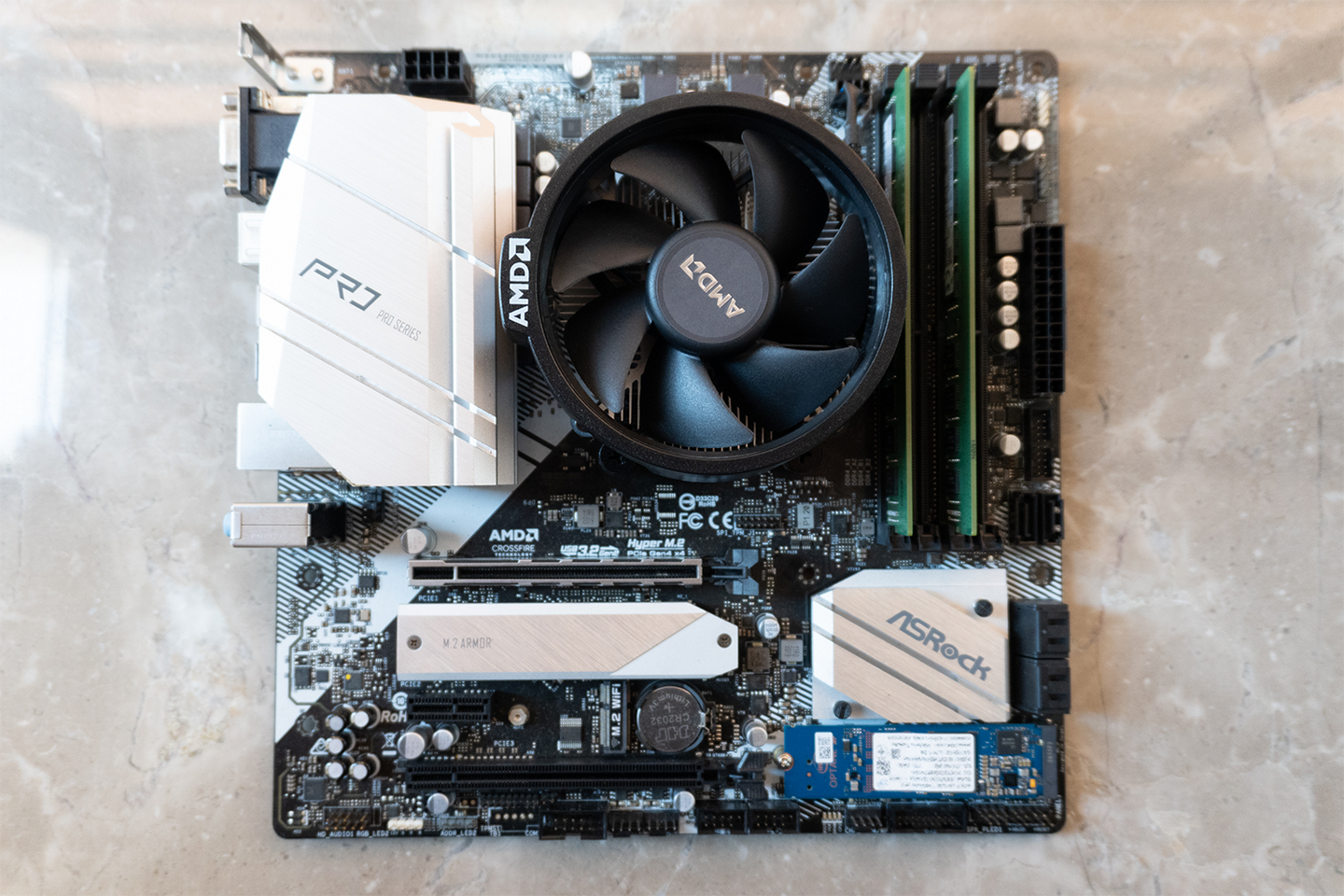
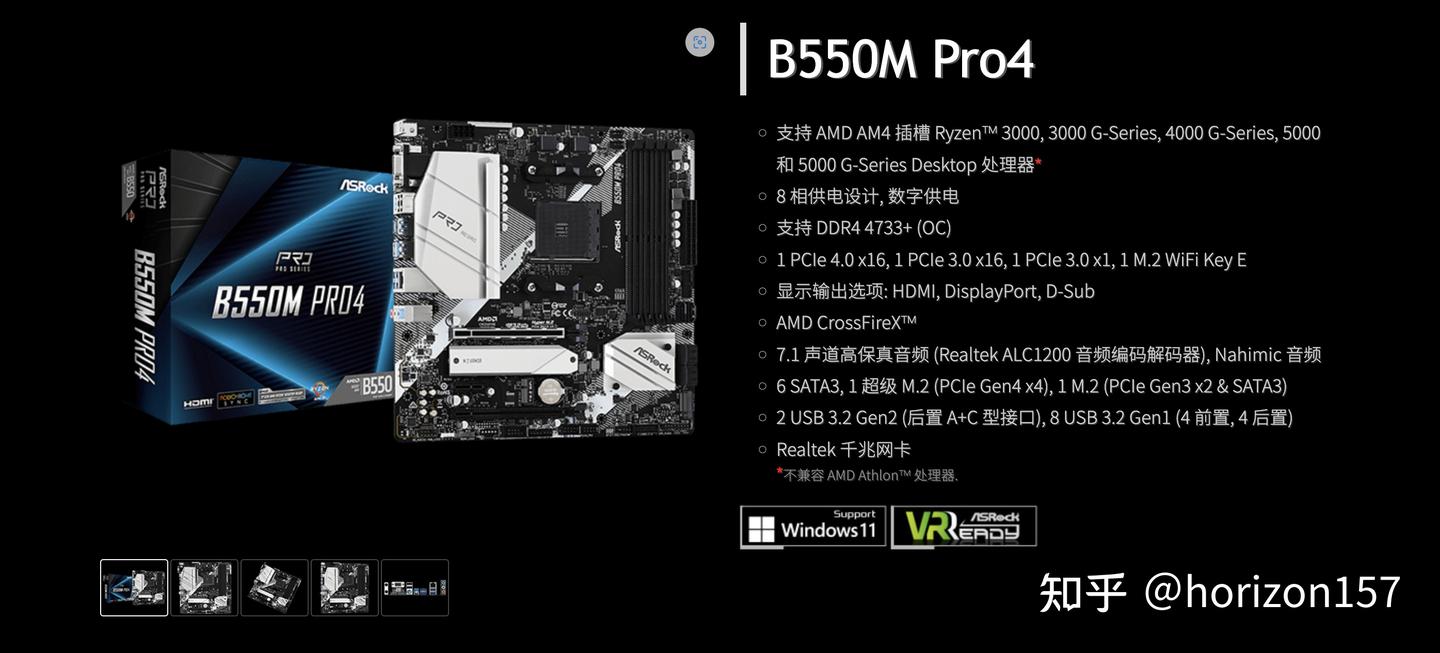
| Motherboard | ASRock B550M-Pro4 |
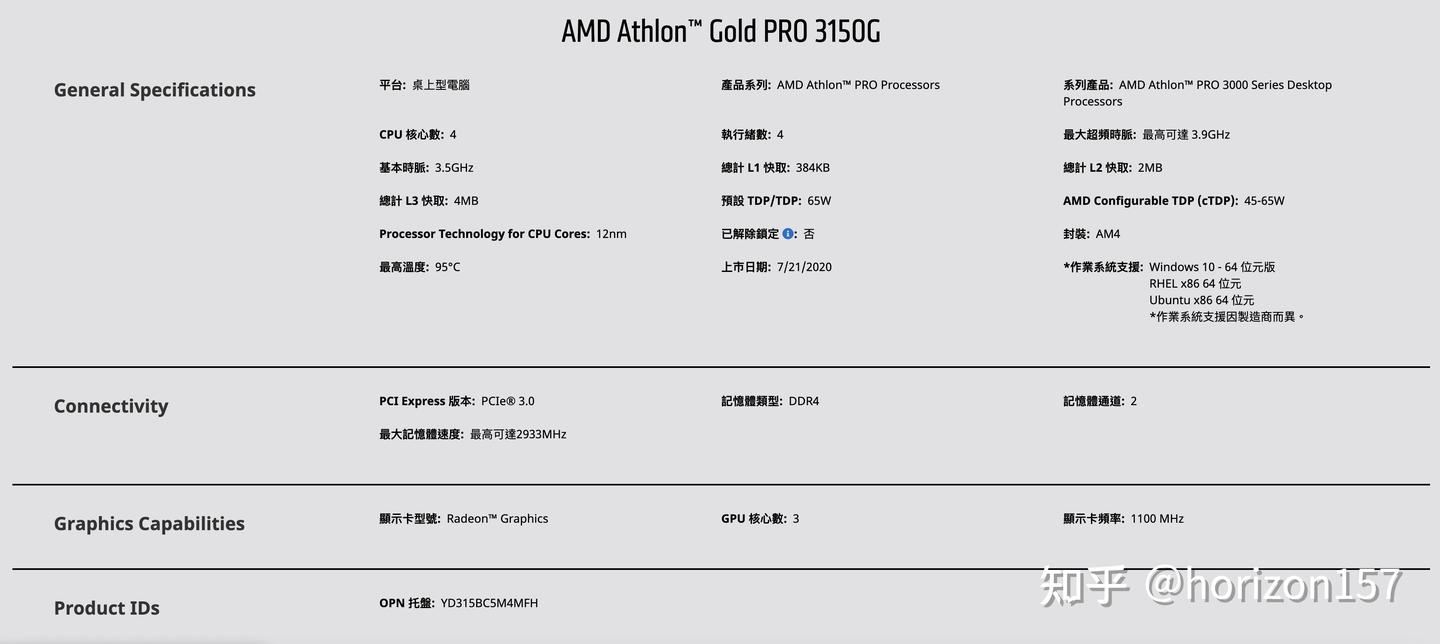
| CPU | AMD Athlon Gold Pro 3150G |
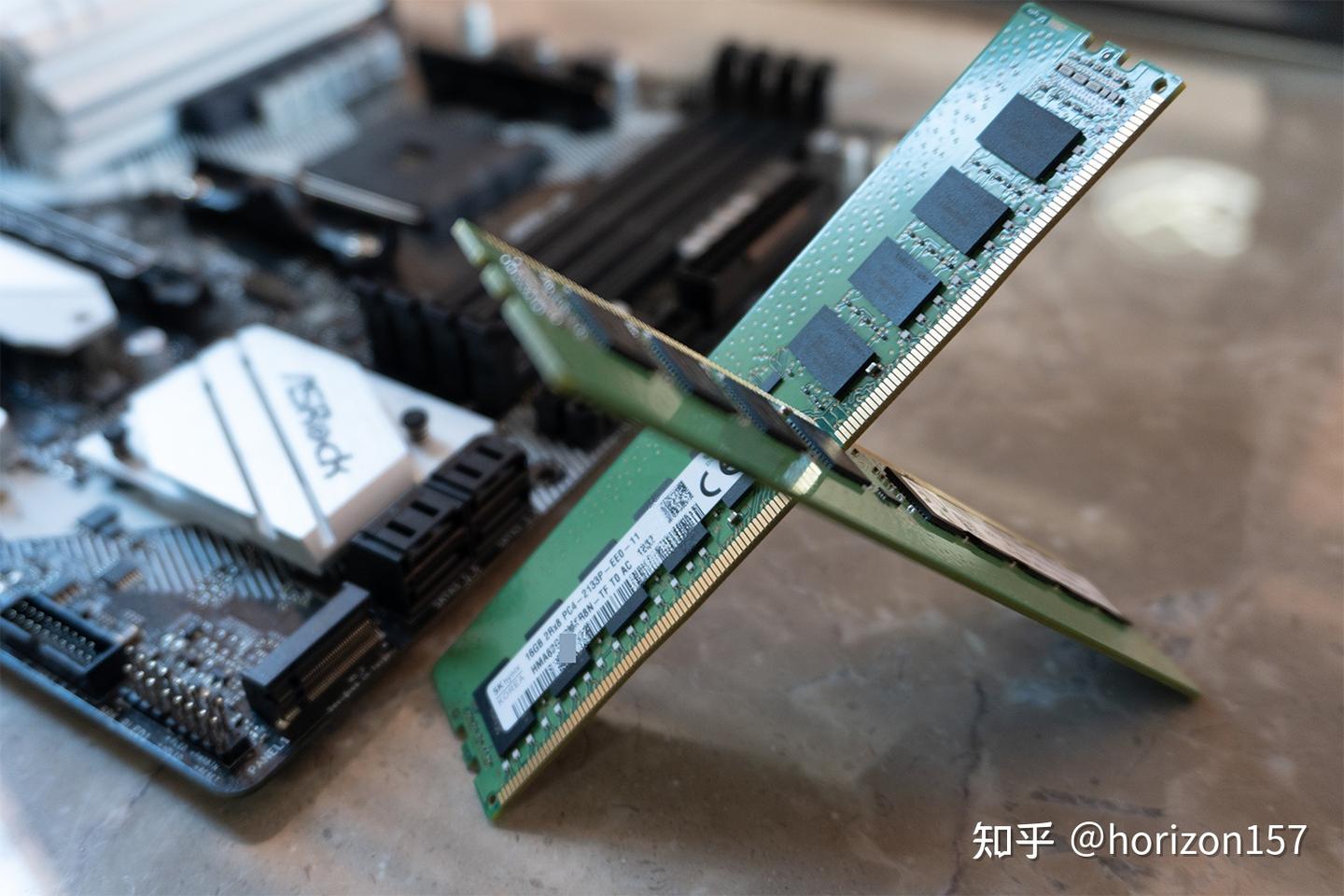
| Memory | Samsung DDR4 2133 ECC 16 GB * 2 |
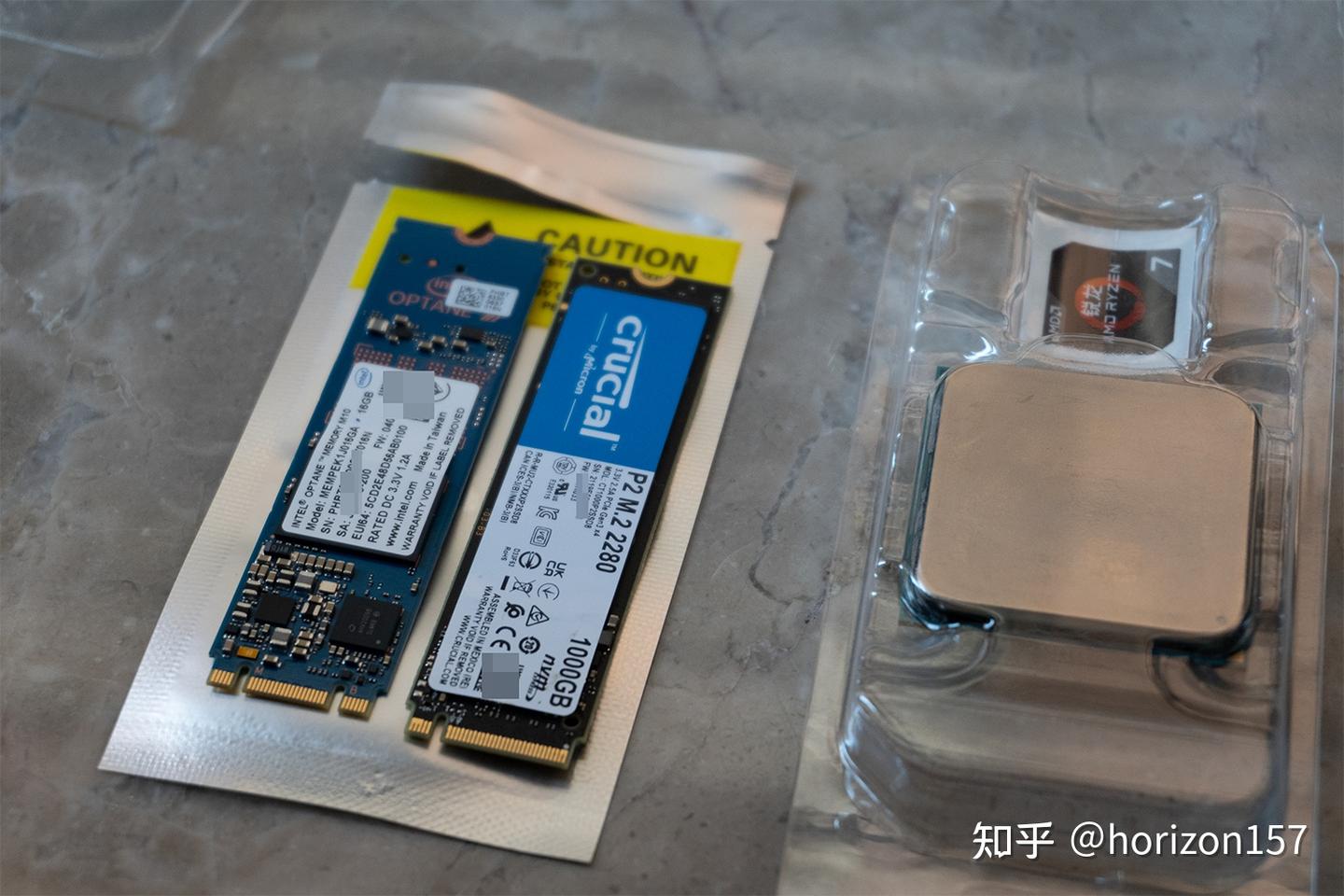
| Boot drive | Intel Optane M10 16 GB |
| Power supply | Supermicro 480 W Platinum 1U conversion |
| Case | Topton NAS-08, 8-bay 2022 revision |
| 10 GbE NIC | (unverified) Mellanox ConnectX-3 10GSFP*2 PCIe x8 |
Notes
TrueNAS Hardware Overview
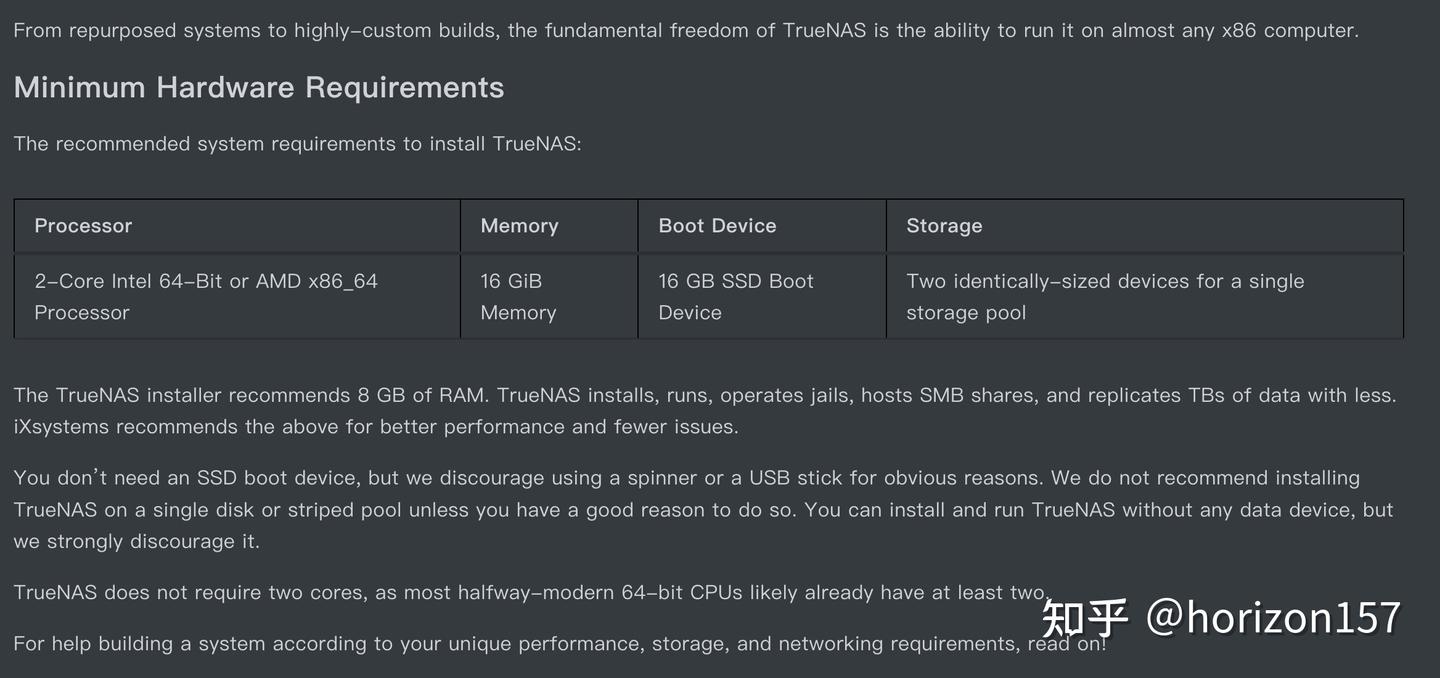
I chose this hardware because TrueNAS needs sufficient memory for reliable operation, and ECC memory is preferable. After researching and discussing it with friends, I found that many motherboards did not support ECC…

After searching, ASUS and ASRock offered the best compatibility among consumer boards supporting ECC. ASUS’s affordable mATX option used the B450 chipset, which was limiting for 10-gigabit networking, so I chose the ASRock B550M-Pro4. It supports unbuffered ECC memory, has six SATA ports, two M.2 slots, and two PCIe x16 slots, one of them PCIe 4.0. A new board cost more than RMB 600, so I found a used one for just over RMB 300.
I chose the 3150G because the original 200GE did not support ECC, while the enhanced Pro 200GE did. Since I was upgrading anyway, there was little reason to stay with the 200GE, so I switched to the four-core, four-thread Pro 3150G. AMD Ryzen and Athlon Pro CPUs support ECC, although Athlon Pro chips are generally OEM pulls rather than retail products.
Old Hardware
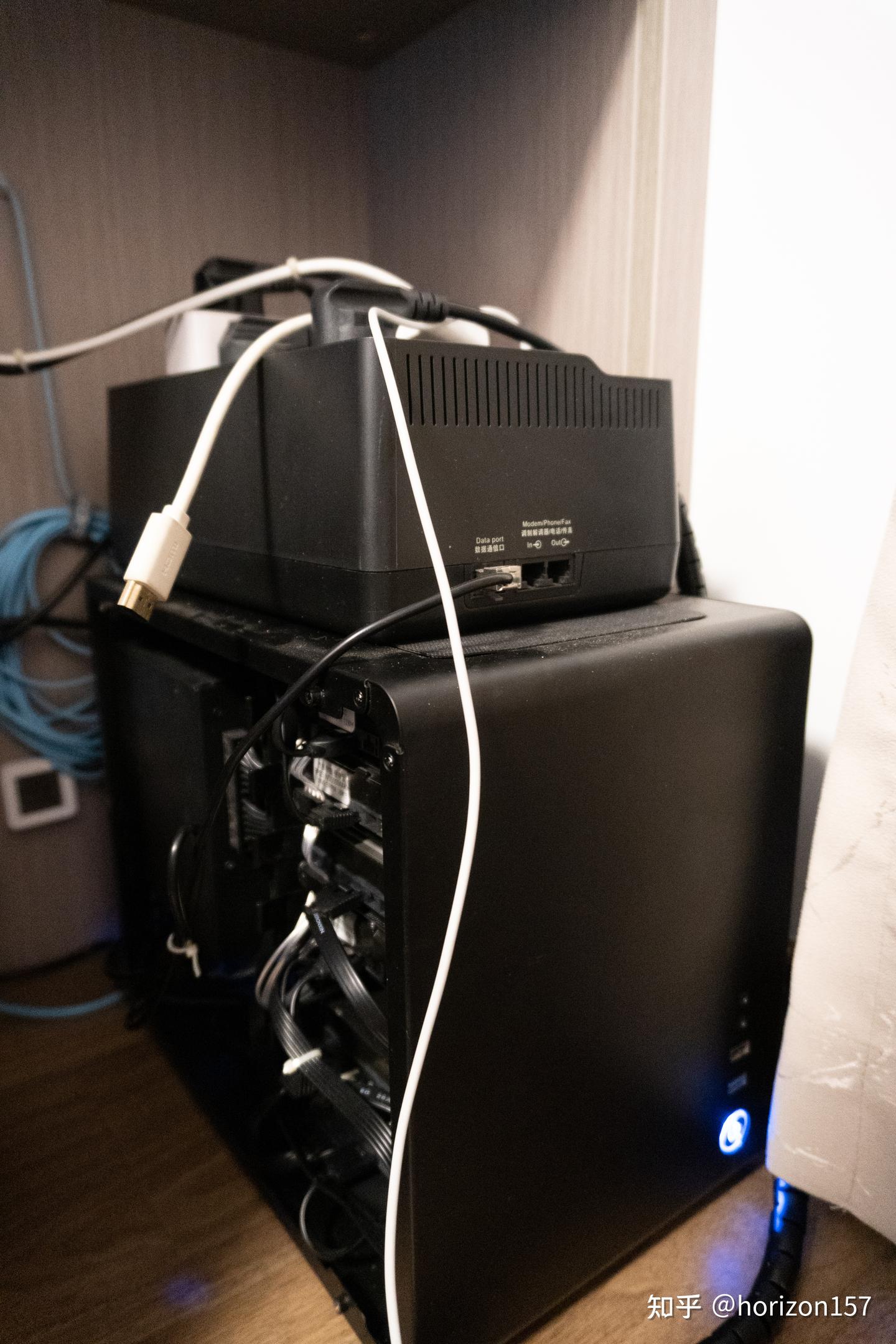
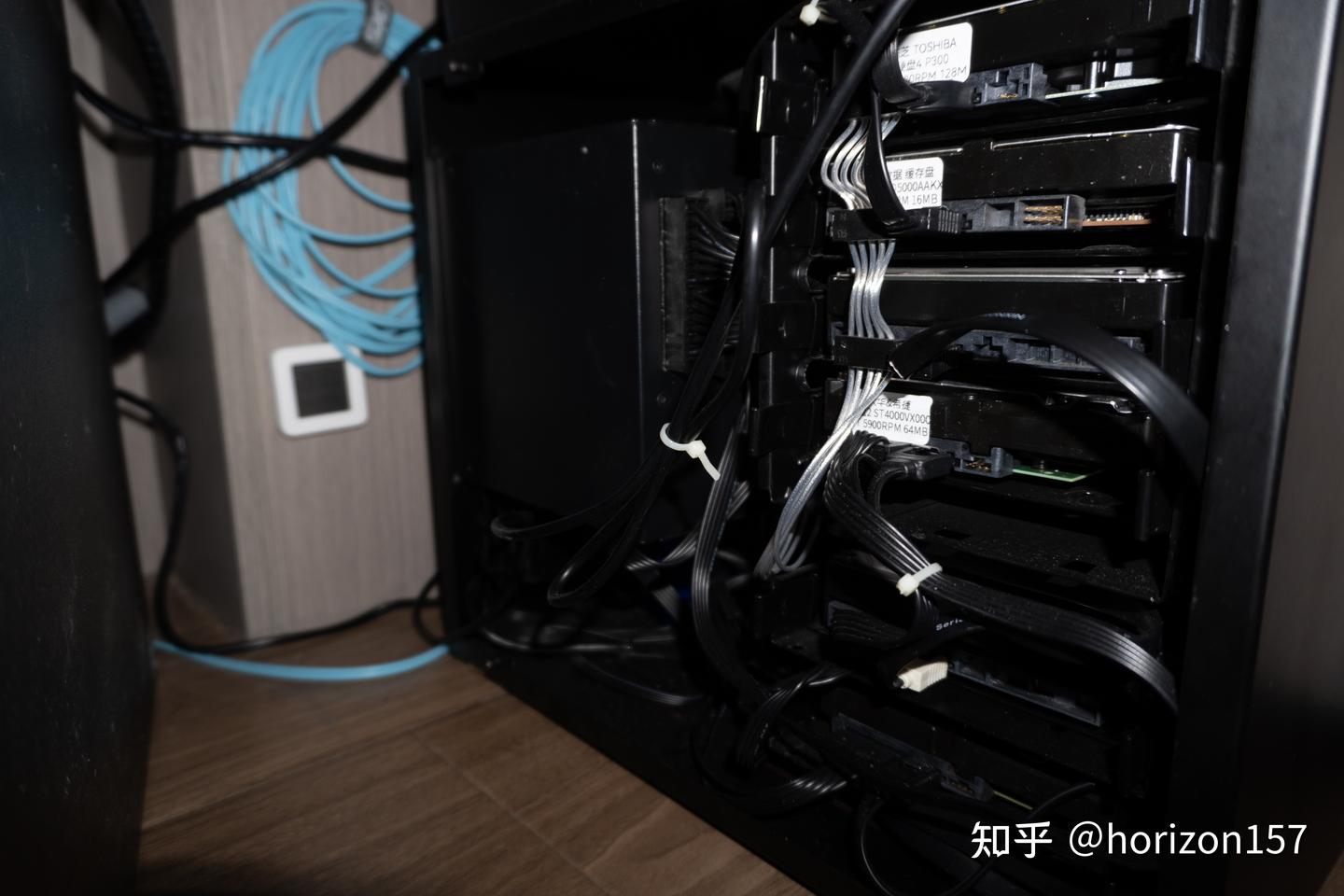
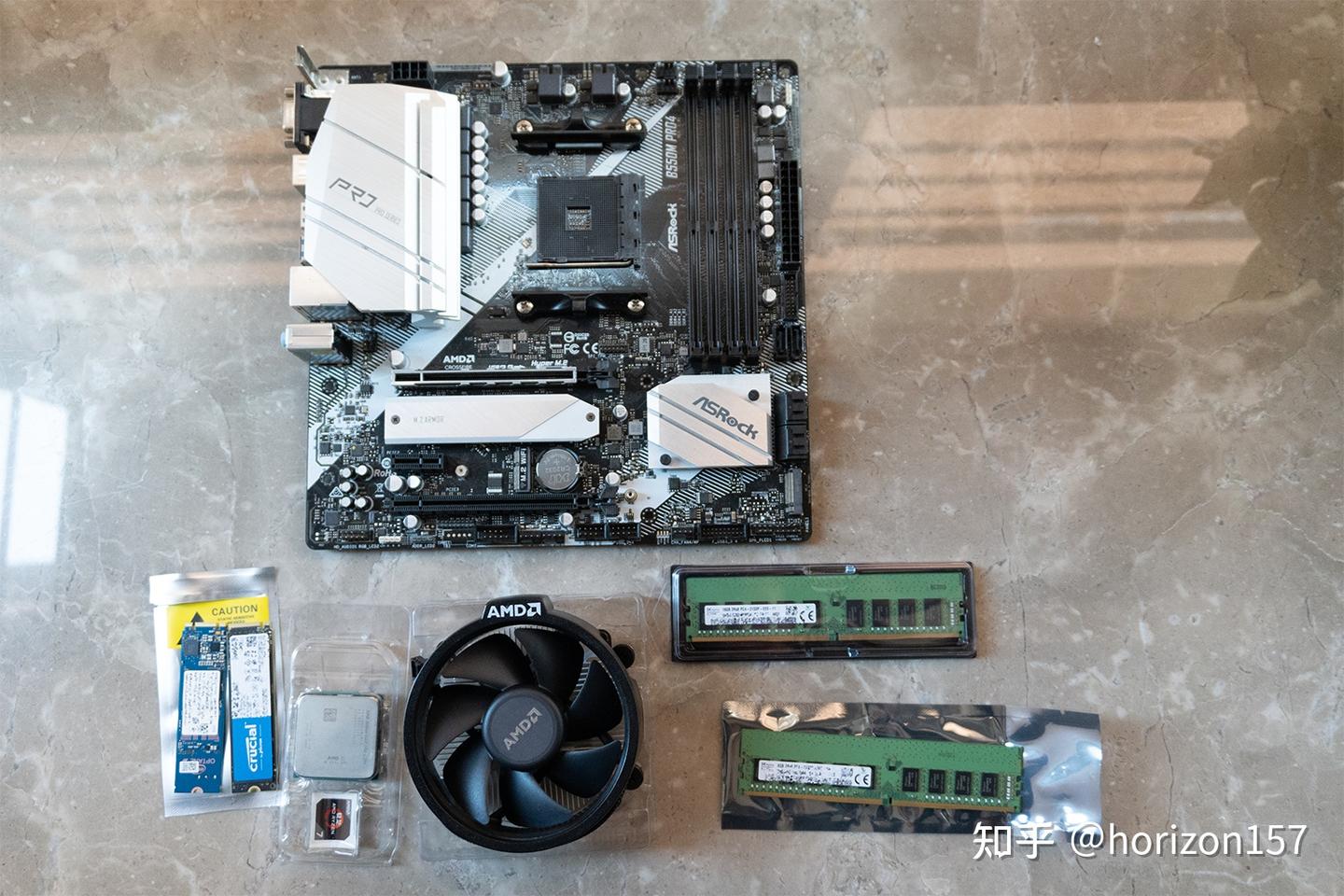
New Hardware
-
Crucial 1 TB cache drive, Intel Optane 16 GB TrueNAS boot drive, and AMD Athlon Gold Pro 3150G
-
Micron DDR4 2133 MHz 16 GB ECC memory
-
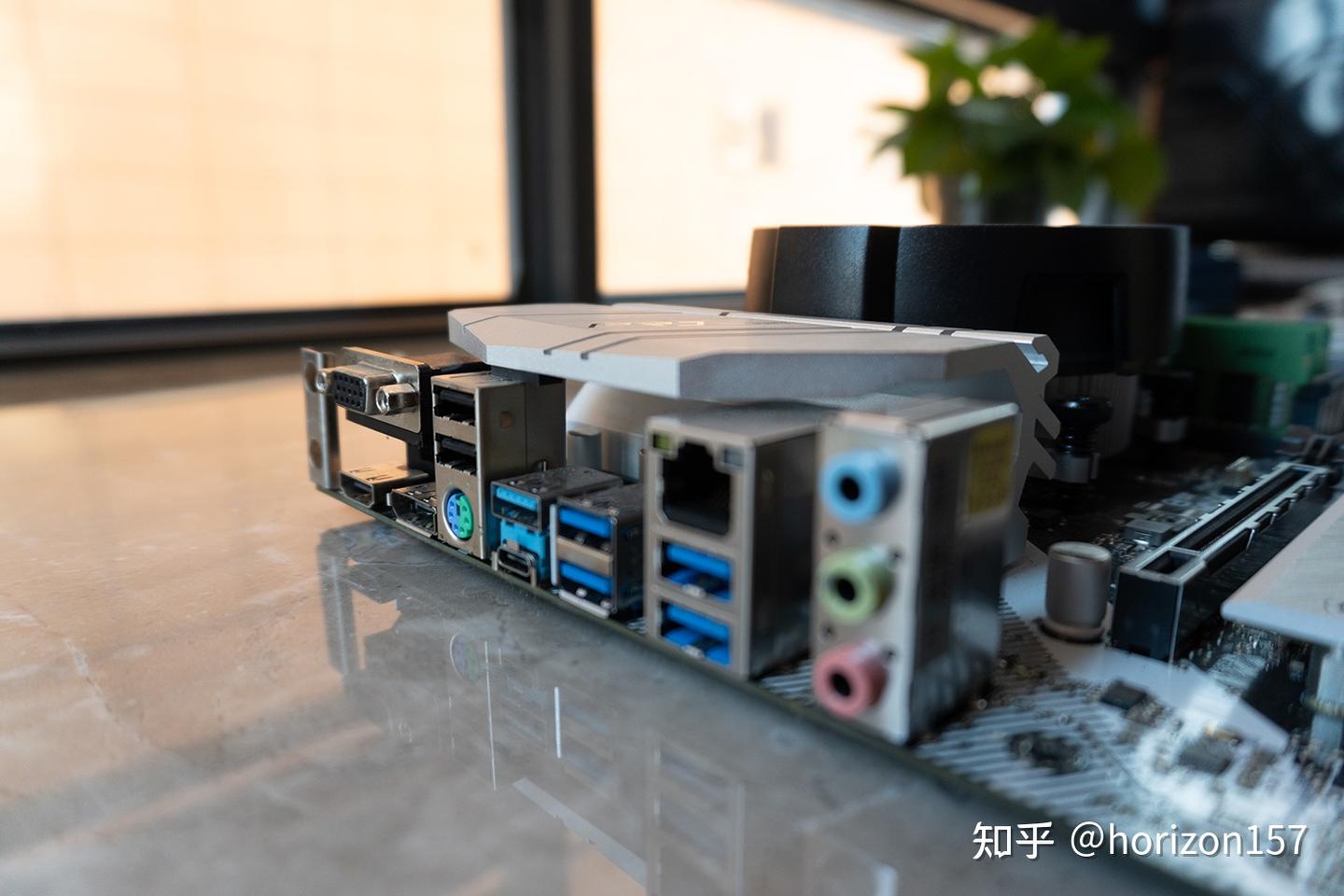
Motherboard I/O
-
Complete setup
-
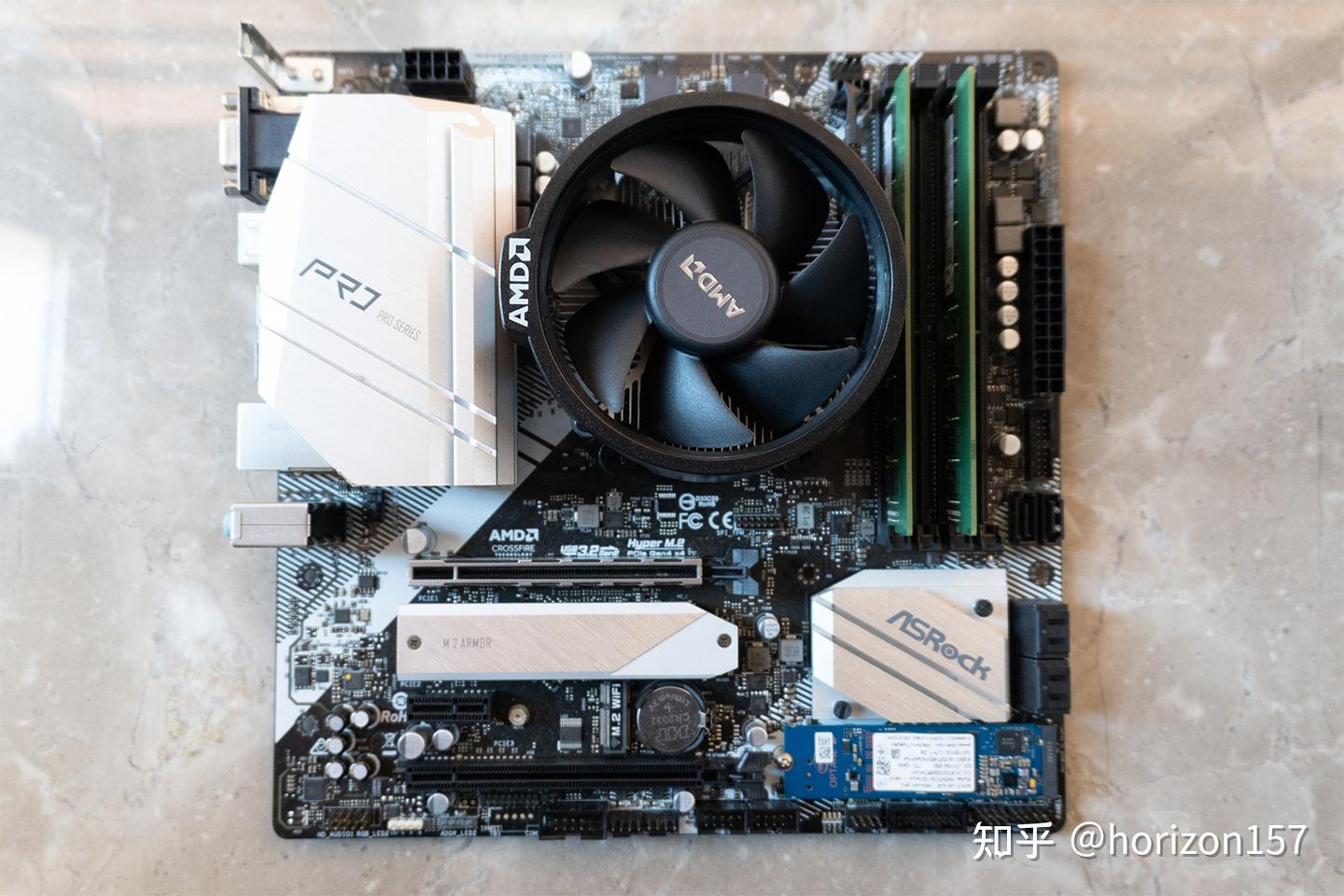
Test the motherboard
-
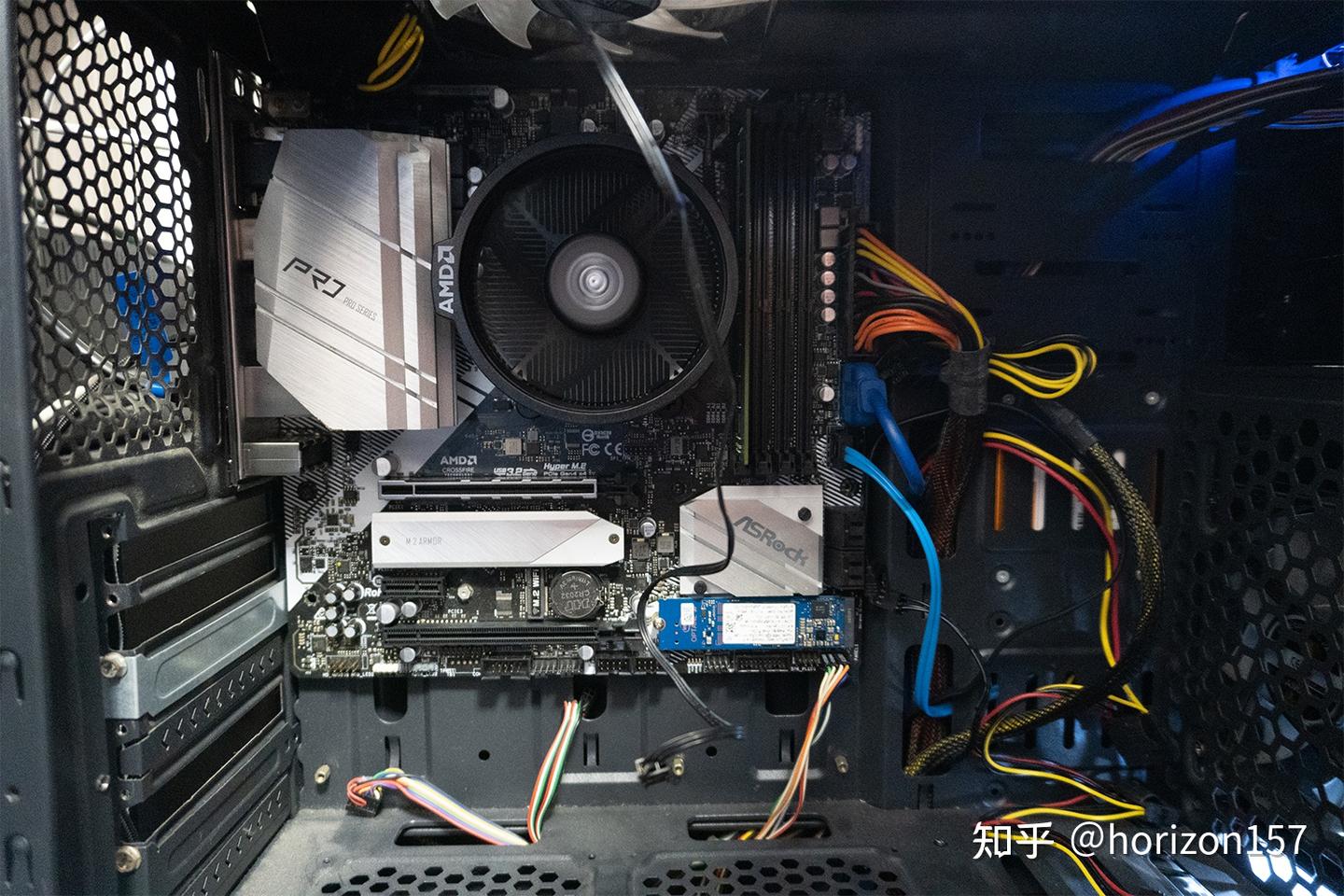
Since some parts were used, I installed them in a spare case for a quick power-on test.
-
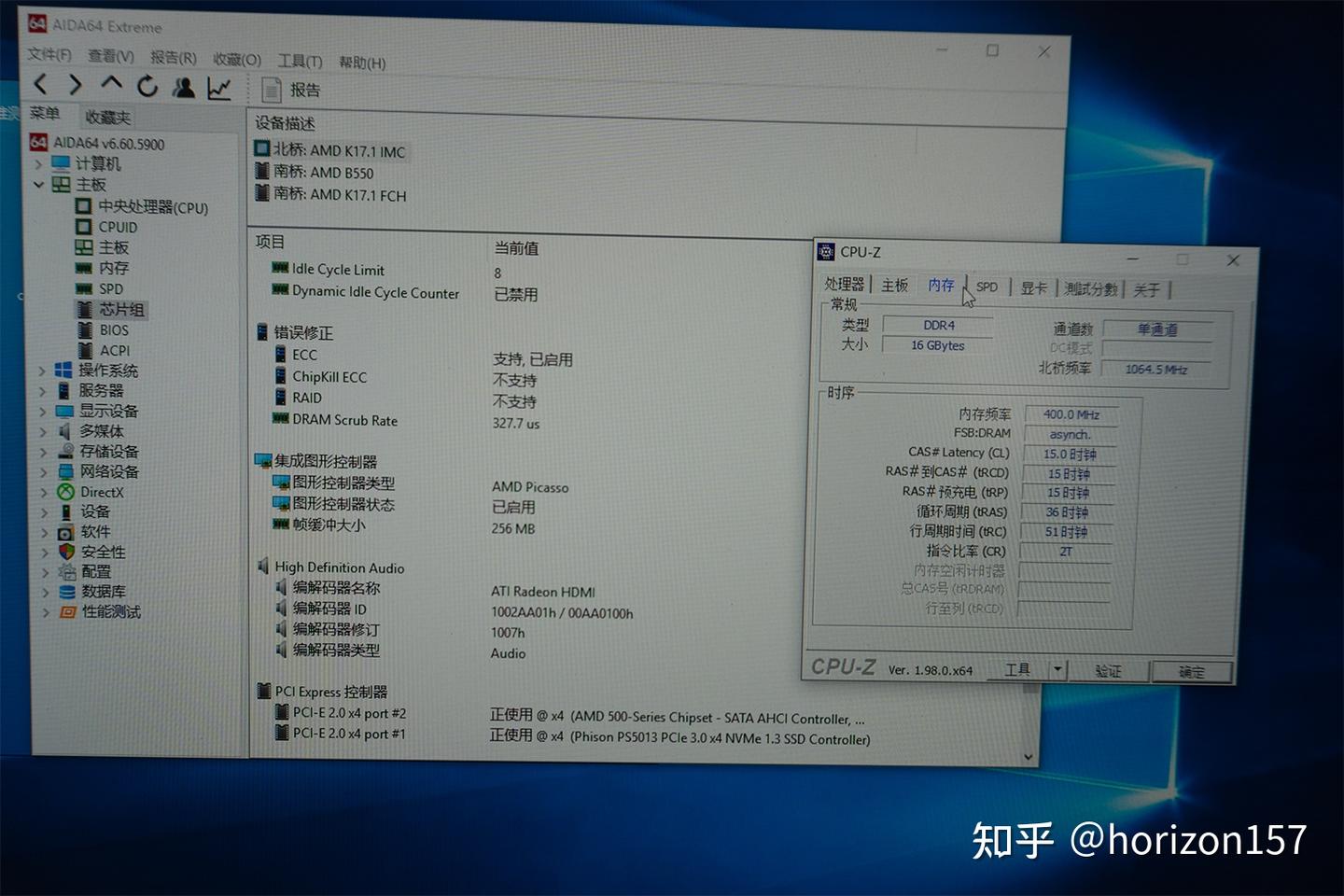
AIDA64 shows that ECC memory is working.
Drives
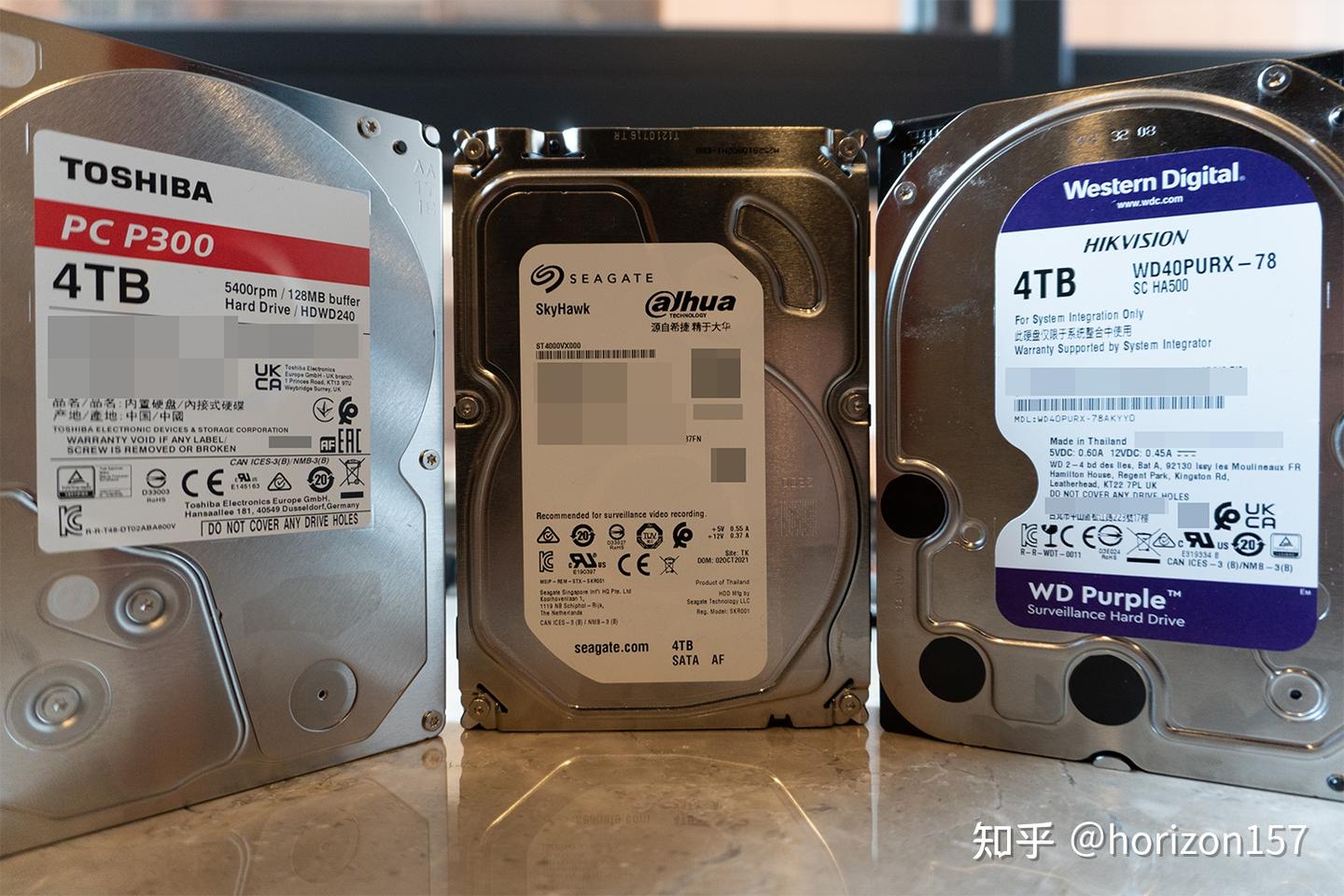
The initial setup used three 4 TB drives in RAID-Z and one standalone drive. A lightly used Crucial 1 TB SSD served as the RAID-Z cache. The array consisted of two Western Digital WD40PURX drives and one Seagate ST4000VX000, all conventional magnetic drives. Because Toshiba’s P300 is a shingled-magnetic-recording drive, I used it as a standalone drive for PT. One additional Western Digital drive was still in transit when I took the photo, so it is not shown. Avoid building an array from drives in the same batch, as they may fail together and turn into a data disaster.
TrueNAS System
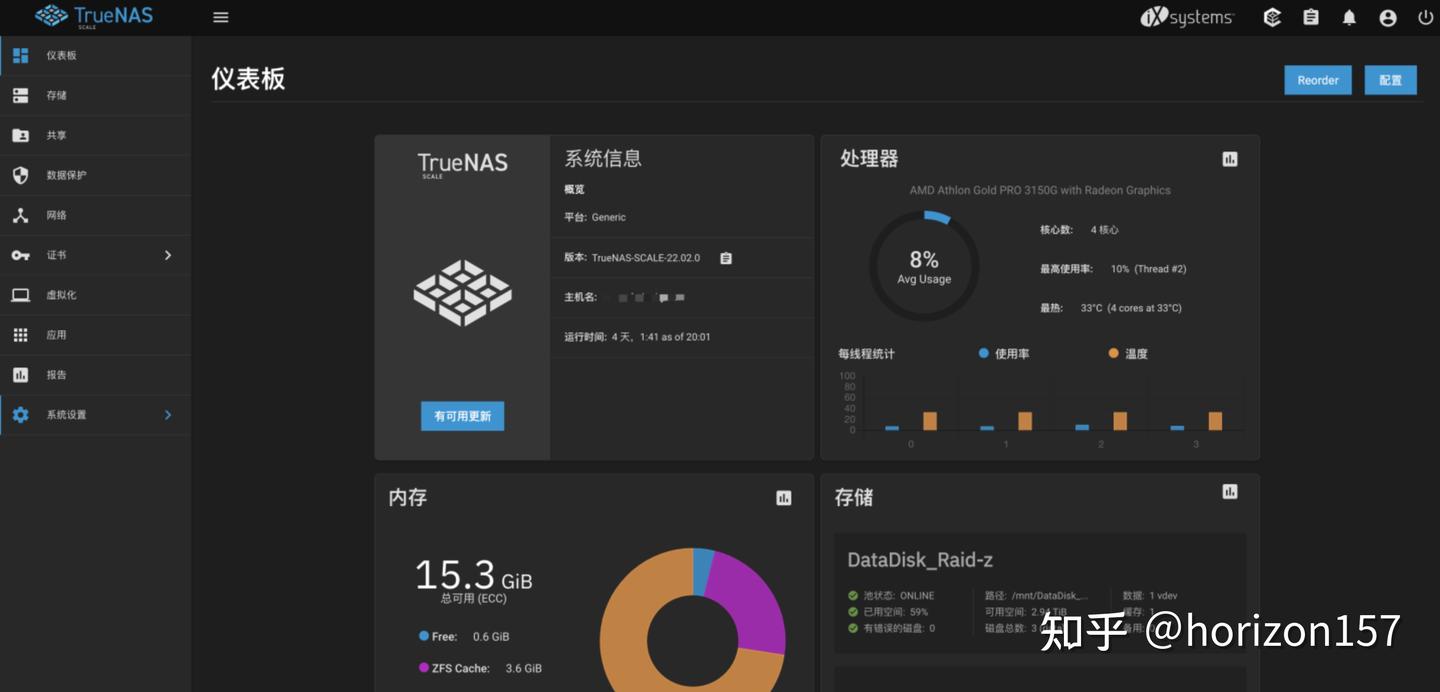
TrueNAS currently runs one CentOS virtual machine and eight or nine Docker applications. The second memory module was still in transit, so memory usage was nearly maxed out; adding the second 16 GB module should help.
To be continued…
Support & Share
If this article helped you, please share or support!